
- Tasks that create themselves
- How the AI identifies tasks
- What this means in practice
- List, Board, or Calendar
- List view
- Board view
- Calendar view
- The context is always there
- Why context changes everything
- Tasks linked to contacts
- Keeping up
- A workflow that compounds
- Getting started with automatic task extraction
“I’ll send you that proposal by Friday.” “Let’s set up a follow-up call next week.” “Can you review the contract before the meeting?”
These commitments fly out of conversations all day long. And most of the time, they live nowhere except in your head, which is the least reliable storage system ever invented. When you’re juggling dozens of relationships, partnerships, and projects at once, a missed follow-up isn’t just a personal oversight. It’s a broken promise to someone who was counting on you.
The average professional makes somewhere between 10 and 30 commitments per day in conversations, meetings, and calls. How many of those make it into a task management system? If you’re like most people, the answer is a fraction. The rest survive on memory, sticky notes, or the hope that you’ll remember when the time comes. And when you don’t, the consequences range from mildly embarrassing to genuinely damaging: a missed deadline, a forgotten introduction, a client who feels like they don’t matter.
Tasks that create themselves
When BlaBlaNote processes a conversation, it doesn’t just generate a summary. It listens for commitments, action items, and things that need to happen next, and turns them into tasks. That proposal you promised? It’s already in your task list by the time the call ends.
No manual entry. No switching to another app to type it in. No forgetting.
How the AI identifies tasks
The AI doesn’t just look for obvious phrases like “I need to” or “let’s schedule.” It understands context. When someone says “we should probably loop in the legal team on this,” that becomes a task. When a client mentions “it would be great if we could see the numbers before the board meeting on the 15th,” the AI extracts both the deliverable and the deadline. When you say “remind me to follow up with her next week about the partnership,” that becomes a task linked to the relevant contact with an approximate due date.
This works across all the ways you can capture notes in BlaBlaNote: voice recordings made in the app, forwarded WhatsApp and Telegram messages, uploaded audio files, and phone call captures. No matter how the conversation enters BlaBlaNote, the task extraction works the same way.
What this means in practice
For anyone who makes commitments to people throughout the day, this means every follow-up from every conversation gets tracked automatically. Consider these scenarios:
For consultants, it means deliverables don’t fall through the cracks between sessions. A client mentions needing a revised timeline, and the task is created without you lifting a finger. When you sit down to plan your week, every client commitment is already organized and waiting.
For managers, it means the things discussed in one-on-ones actually get done, because they’re captured in a system instead of relying on someone scribbling them on a sticky note. When you review your team’s progress, you can trace every task back to the conversation where it originated.
For sales professionals, it means follow-ups happen on time, every time. The prospect asked for a case study? It’s in your task list. They wanted a call with your technical team? Already tracked. In sales, responsiveness is the difference between winning and losing a deal, and BlaBlaNote makes sure nothing slips through.
For account managers, it means client requests are captured the moment they’re spoken. Across 20 or 30 accounts, the number of small commitments, “I’ll check on that,” “let me get back to you,” “I’ll send you the updated version,” adds up to dozens per week. Missing even a few erodes trust. Capturing all of them automatically preserves it.
List, Board, or Calendar
We built three views because people think about their work differently, and teams have different workflows.
List view
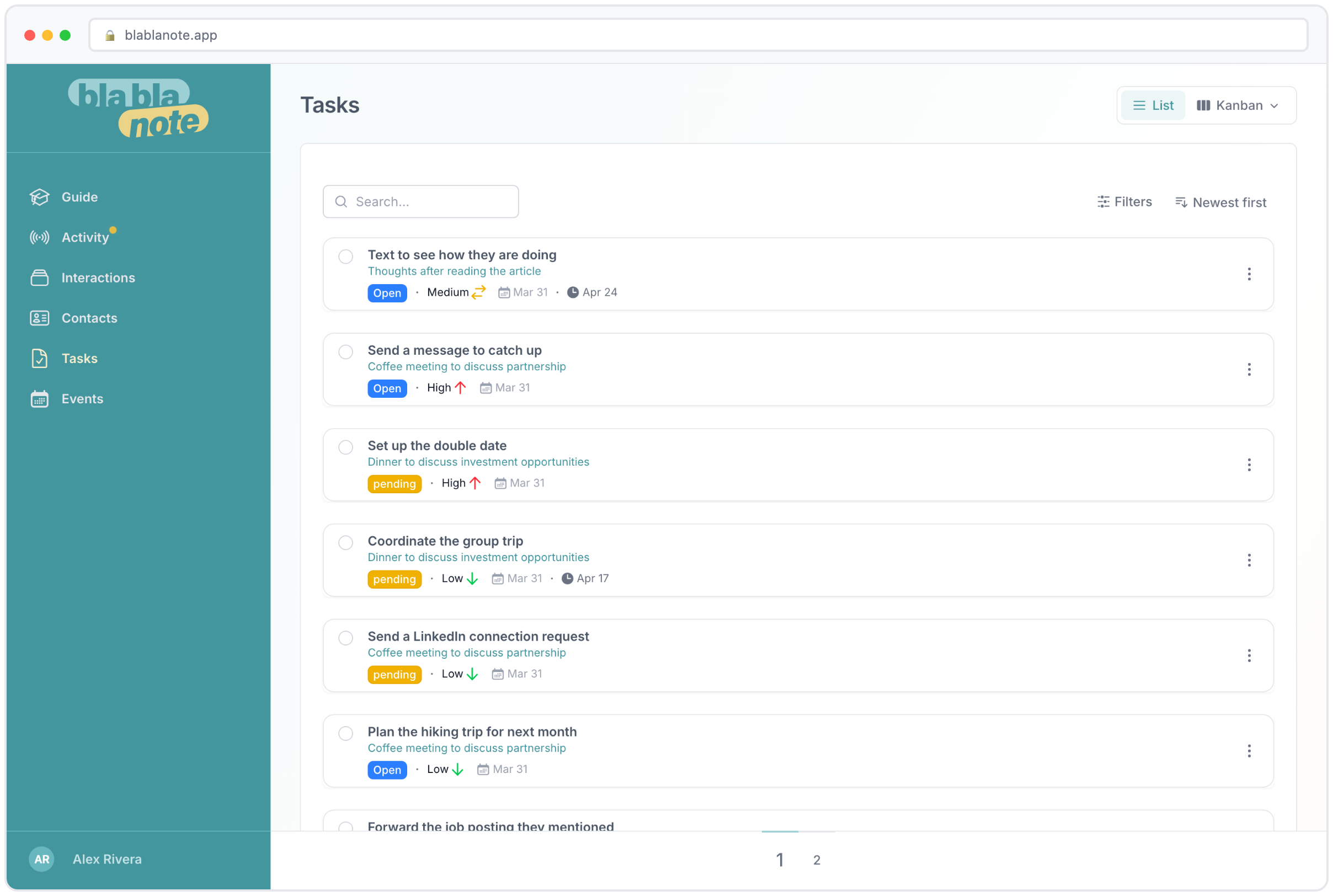
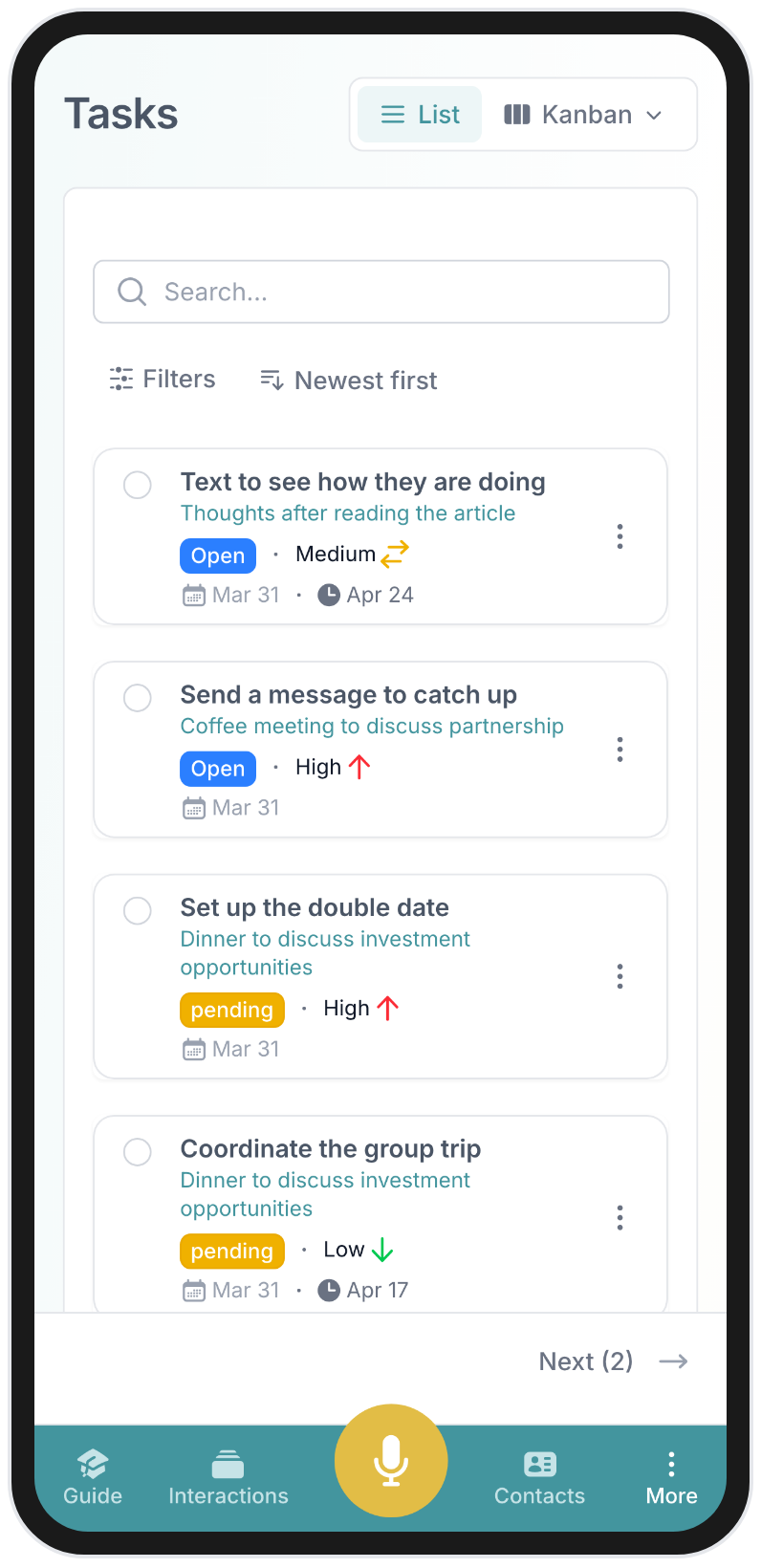
Some want a simple checklist they can tick off. List view gives you a clean, prioritized view of everything on your plate. You can filter by contact, by date, by status, or by the conversation the task came from. For people who like to start the day by scanning their to-do list and working through it top to bottom, this is the natural choice.
List view is also the fastest way to do a weekly review. Open it up, scan what’s done, what’s pending, and what’s overdue, and you have a clear picture of where things stand in about 60 seconds.
Board view
Others think visually and want to see tasks flowing through columns: To Do, In Progress, Done. Board view works well for teams tracking deliverables. You can drag tasks between columns, which gives a satisfying sense of progress and makes it easy to see at a glance what’s blocked, what’s moving, and what’s been completed.
For teams managing multiple client projects simultaneously, Board view provides the big-picture overview that List view sometimes lacks. You see the flow of work, not just the items.
Calendar view
And some people are driven by dates and deadlines. Calendar view maps your tasks against your schedule, which is particularly useful for anyone juggling multiple relationships and timelines. When you can see that you have three deliverables due on the same day, you can plan ahead instead of scrambling.
Calendar view pairs especially well with BlaBlaNote’s calendar integration. Your meetings and your tasks live on the same timeline, so you can see not just what’s coming up, but what you need to have ready before each meeting.
You can switch between all three views anytime. The tasks are the same, you’re just looking at them from a different angle.
The context is always there
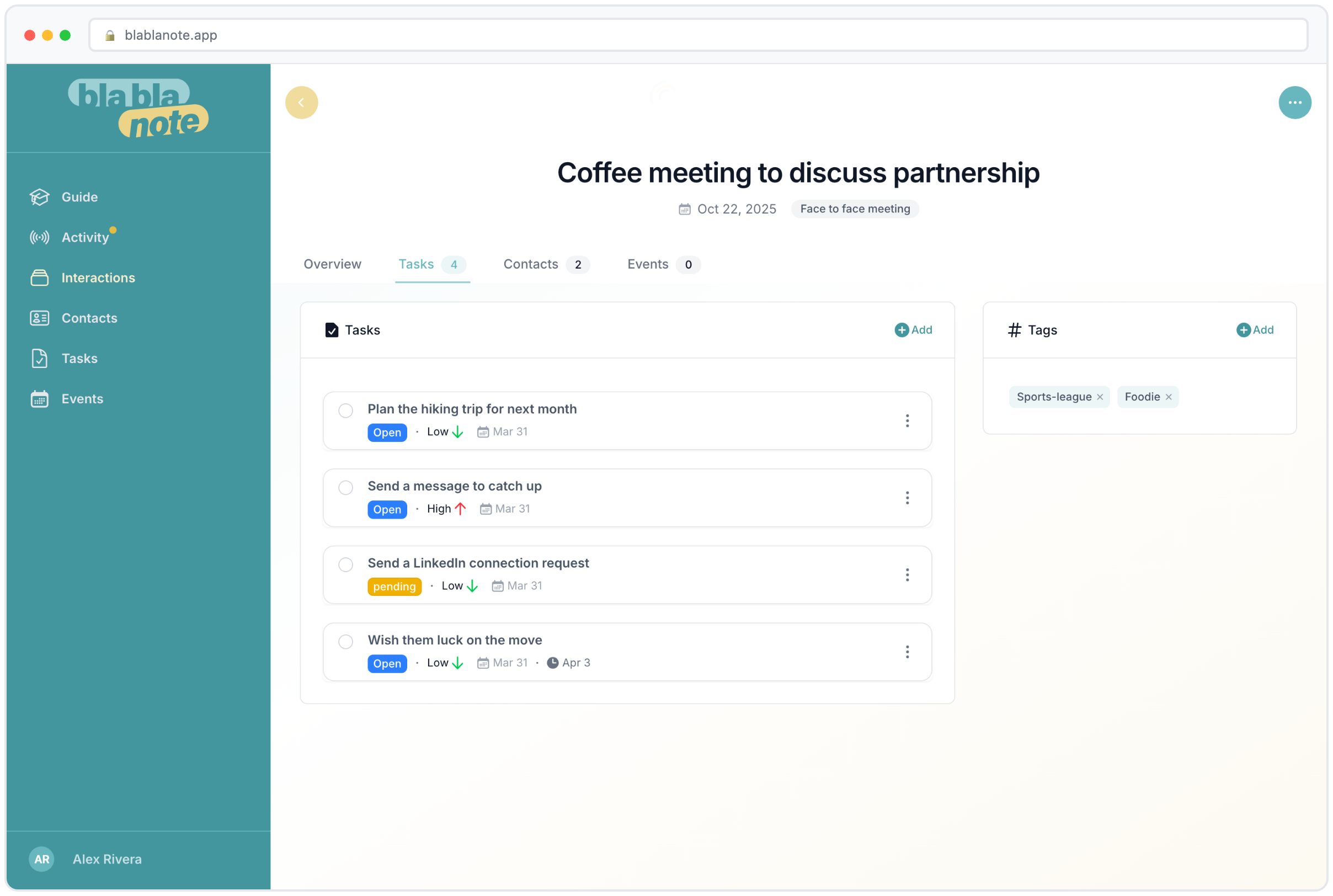
This is what separates BlaBlaNote tasks from every other to-do app we’ve used, and from task systems that store entries without context. Every task stays linked to the conversation it came from. When you see “review the contract” in your list and can’t remember which contract or why, you click through and you’re right back in the meeting where it was discussed. The full transcript, the summary, the other tasks from that same conversation. All connected.
Why context changes everything
In a business setting, this context is critical. Think about how often you’ve stared at a task in your to-do app and thought: “What did I mean by this?” A task that says “follow up with David” is almost useless without context. Which David? About what? What was the last thing you discussed? What does he expect?
In BlaBlaNote, that same task links back to the conversation where the follow-up was discussed. You can see the full context, David mentioned he’s evaluating three vendors and needs your updated pricing by the end of the month, he also asked about enterprise support options, and he wants to schedule a demo for his technical team. Now “follow up with David” becomes a specific, actionable item with all the background you need.
When a team member picks up a task that was created in someone else’s meeting, they have the full picture. When a manager reviews open tasks across the team, they can see exactly where each commitment originated. There’s no ambiguity, no “I think we discussed this in that call last week.”
Tasks without context are just words on a screen. Tasks with context tell you exactly what needs to happen, why, and for whom.
Tasks linked to contacts
Because every task can be linked to the contacts involved, you also get a view of your commitments per person. Open a contact’s profile and you see not just your conversation history, but every open task related to them. This is invaluable when preparing for a meeting: you know exactly what you owe them, what they owe you, and what was agreed in previous conversations.
For relationship-driven professionals, this per-contact task view is one of the most useful features in BlaBlaNote. It turns task management from a generic to-do list into a relationship management tool. You’re not just tracking what needs to get done. You’re tracking what needs to get done for each person you work with.
Keeping up
Between meetings, calls, and impromptu conversations, tasks accumulate fast. Without a system, the natural tendency is to focus on whatever feels most urgent in the moment and let the rest pile up. Important but non-urgent follow-ups get pushed back, again and again, until the relationship damage is done.
BlaBlaNote keeps them visible and organized so nothing falls through the cracks. And if you pair it with the weekly planning email, you start every Monday already knowing what needs your attention, who is waiting for something from you, and which deadlines are approaching.
A workflow that compounds
The professionals who get the most out of BlaBlaNote’s task system are the ones who let the conversations drive the workflow. They don’t sit down at the end of the day trying to remember what they promised. They don’t maintain a separate to-do system that requires manual entry. They talk, the AI listens, tasks are created, and the system keeps them accountable.
Over time, this creates a feedback loop. When you know that every commitment is being captured and tracked, you make better commitments. You’re more intentional about what you agree to, because you know the system will hold you to it. And when you follow through consistently, the people you work with notice. Reliability compounds. Trust deepens. Relationships strengthen.
That’s the real goal behind converting conversations into actions. Not just checking off tasks, but building a reputation as someone who always follows through.
Getting started with automatic task extraction
If you’re new to BlaBlaNote, here’s the simplest way to experience this feature: record your next meeting and pay attention to the tasks that get extracted. Most people are surprised by how many commitments the AI catches, including ones they might not have consciously registered as tasks. From there, explore the three views, find the one that matches how you think, and let the system work for you.
The less time you spend managing tasks, the more time you have for the work that actually matters.