
- How it works
- Step-by-step walkthrough
- What happens after the import
- AI-powered insights at scale
- Searchable, filterable, actionable
- Different from the browser extension
- When to use which
- Enrich your own profile too
- For teams and organizations
- The warm introduction advantage
- Avoiding outreach conflicts
- Your data, your control
- Getting started
You have 800 connections on LinkedIn. Maybe 2,000. Maybe more. Somewhere in that list are former colleagues, potential clients, industry peers, mentors, and people you met at that conference in 2023 whose name you can almost remember. LinkedIn stores the connection. It doesn’t store the context.
That’s the fundamental limitation of LinkedIn as a relationship tool. It’s excellent for making connections and keeping a running list. But it doesn’t track your actual interactions, doesn’t remind you to follow up, and doesn’t help you remember what you discussed or why the relationship matters. Your network exists on LinkedIn, but the intelligence behind it exists only in your memory, which fades faster than any of us want to admit.
BlaBlaNote’s LinkedIn import changes that.
How it works
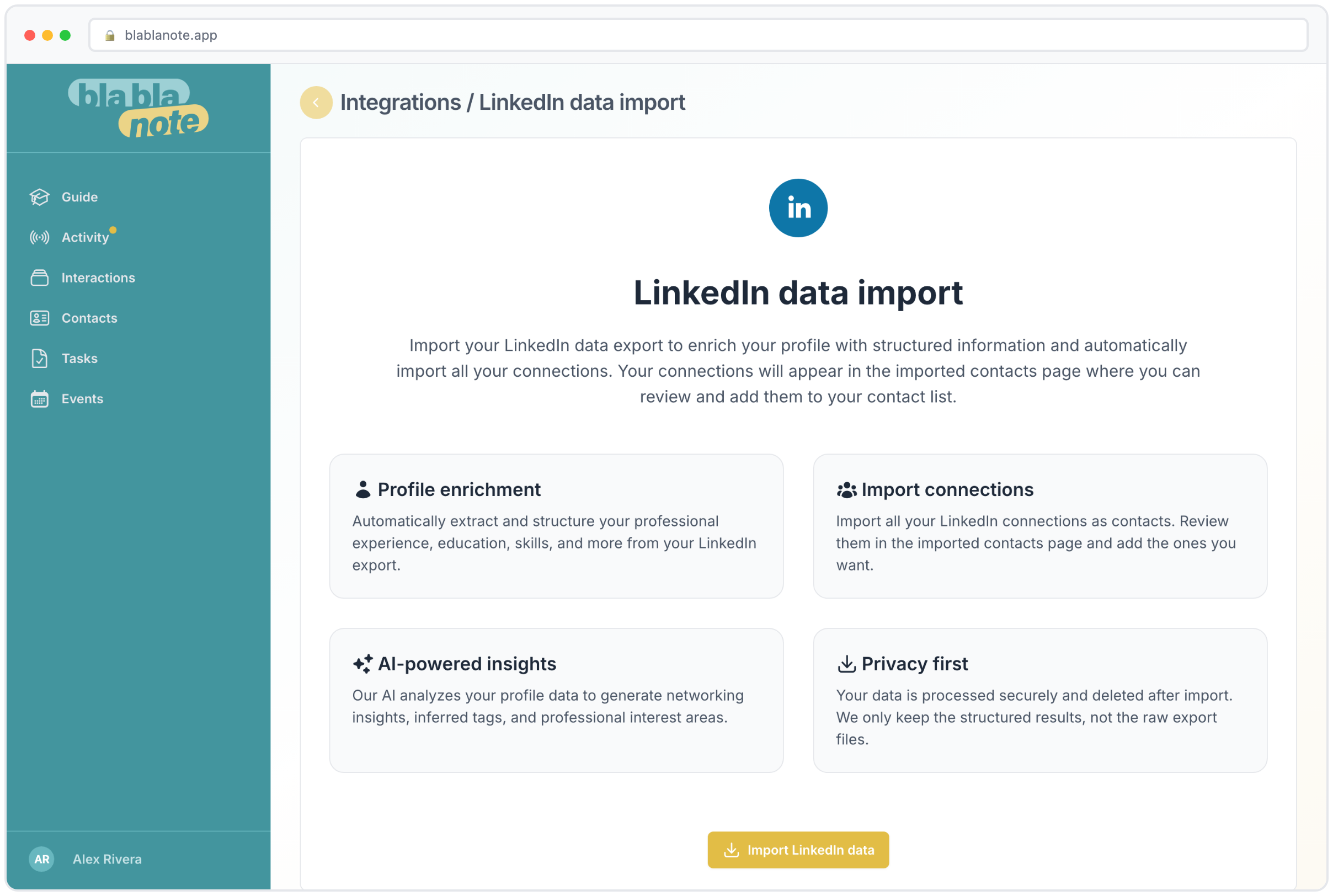
Go to LinkedIn, request your data export (Settings > Get a copy of your data), and upload the zip file to BlaBlaNote. That’s the whole process. Your connections become contacts in BlaBlaNote, enriched with the professional information LinkedIn has: name, company, job title, profile URL.
Step-by-step walkthrough
Here’s exactly what to do:
-
Request your data from LinkedIn. Go to Settings & Privacy > Get a copy of your data. Select “Connections” at minimum. You can also include your profile data, which enriches your own BlaBlaNote profile. LinkedIn will prepare the export and email you when it’s ready, usually within 24 hours.
-
Download the zip file. LinkedIn sends you a link to download a zip file containing your data as CSV files.
-
Upload to BlaBlaNote. In the BlaBlaNote app, go to Settings > Imports > LinkedIn. Upload the zip file. BlaBlaNote reads the CSV, creates contact records, and begins enrichment.
-
Review and organize. Once the import is complete, you’ll see all your LinkedIn connections as contacts in BlaBlaNote. You can review them, add tags, set follow-up cadences, and start building context on the relationships that matter most.
The import handles deduplication automatically. If you’ve already added some LinkedIn contacts manually or through the browser extension, BlaBlaNote matches them and merges the data instead of creating duplicates. Similarly, if you’ve imported contacts from Google or Outlook, the system detects overlaps based on name and email matching.
What happens after the import
But the import is just the starting point. Once your connections are in BlaBlaNote, the AI goes to work. It analyzes profiles and generates insights: industry context, potential conversation topics, connection strength signals. What was a flat list of names becomes a structured, searchable network with intelligence attached.
AI-powered insights at scale
For each imported contact, BlaBlaNote’s AI generates a brief profile analysis. This includes the contact’s industry positioning, their career trajectory, and potential areas of mutual interest based on your own profile. If you’re a startup founder and one of your connections is a venture capitalist focused on your industry, the AI flags that alignment. If a former colleague has moved to a company you’re trying to partner with, that connection is surfaced.
These insights are especially valuable when you’re preparing for meetings or events. Instead of manually reviewing profiles before a conference, you can search your BlaBlaNote contacts by company, industry, or keyword and quickly identify the people in your network who are relevant to your current goals.
Searchable, filterable, actionable
For professionals managing a growing network, this means your entire LinkedIn community is suddenly organized and accessible. You can search by company, filter by industry, set follow-up cadences on the people who matter most, and track every interaction going forward. The network you built over years finally has a system behind it.
Some specific ways this plays out in practice:
-
Preparing for a sales call. You’re about to speak with someone at a target company. Search BlaBlaNote for the company name, and you see every person in your network who works there or has worked there. You might discover a warm introduction path you didn’t know existed.
-
Reconnecting after a role change. You just started a new position and want to let your network know. Filter contacts by relationship strength or cadence status, and reach out to the most important ones first. The AI-generated insights help you personalize each message.
-
Event preparation. You’re attending an industry conference. Cross-reference the attendee list with your imported LinkedIn contacts to see who you already know and who you should meet. Your existing contacts come with full context, so you can reference past conversations when you reconnect.
Different from the browser extension
You might already use the BlaBlaNote browser extension to save contacts one by one as you browse LinkedIn. The data import does something different: it brings in your entire network at once. The extension is for ongoing enrichment. The import is for the initial migration.
Both complement each other. Import your full network to establish the base, then use the extension to keep profiles updated and add new connections as you make them. Together, they mean your LinkedIn activity and your BlaBlaNote intelligence stay in sync without manual data entry.
When to use which
Here’s a simple rule of thumb:
-
Use the import when you first join BlaBlaNote, when you want to refresh your full contact base, or when you’ve accumulated a significant number of new LinkedIn connections since your last import.
-
Use the browser extension for day-to-day LinkedIn activity. When you visit a profile and want to save it to BlaBlaNote with one click. When you connect with someone new and want their details in your system immediately. When you’re researching a company and want to save key people you find.
The combination means no LinkedIn connection falls through the cracks. The bulk import catches everything historical. The extension captures everything going forward.
Enrich your own profile too
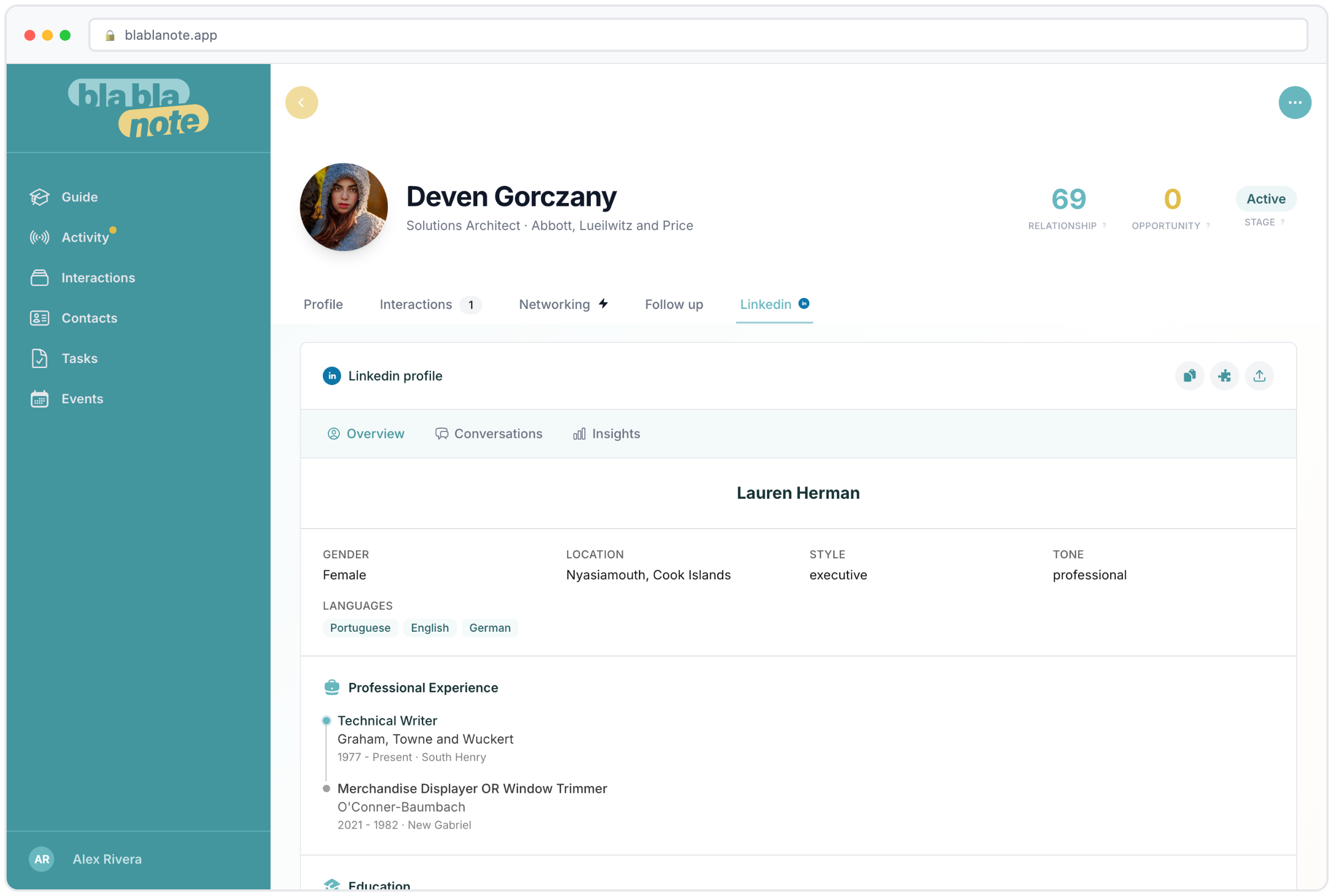
The import doesn’t just bring in your connections. It also enriches your own BlaBlaNote profile with your LinkedIn data. Your professional experience, education, skills, and background feed into the AI that powers features like event matchmaking and networking strategy. The more BlaBlaNote knows about you, the better it can identify relevant connections and recommend conversation angles.
This is particularly important for event matchmaking. When you join a professional event through BlaBlaNote, the AI matches you with other attendees based on complementary profiles. If your LinkedIn data shows you’re a product manager in healthtech, the system knows to match you with relevant investors, potential partners, and industry peers. Without that profile data, the matching is less precise.
Your enriched profile also powers the digital business card. The professional details from your LinkedIn profile automatically populate your card, so it’s always current without manual updates.
For teams and organizations
When multiple team members import their LinkedIn networks, the organization’s collective relationship intelligence grows dramatically. A team of five might collectively know 5,000 people. Having all of those connections in one system, with interaction history and context attached, means warm introductions happen more often and no one reaches out without context.
The warm introduction advantage
One of the most powerful but underused networking tactics is the warm introduction. Instead of cold-emailing a prospect, you find someone in your team’s network who already knows them and ask for an introduction. Studies consistently show that warm introductions convert at 3-5x the rate of cold outreach.
But warm introductions require knowing who knows whom. When your team’s LinkedIn networks are all in BlaBlaNote, this information is searchable. “Do we know anyone at Company X?” becomes a quick search instead of a round of Slack messages. The answer comes with context: who the connection is, how strong the relationship appears, and when the last interaction happened.
For companies attending industry events, imported LinkedIn data feeds into pre-event preparation. The AI can identify which attendees are already in your network and surface the context you need before walking up to them. Instead of cold introductions on the event floor, your team makes warm reconnections with full context.
Avoiding outreach conflicts
Another advantage of shared LinkedIn data is coordination. If two salespeople on your team are both connected to the same prospect, the system surfaces that overlap. This prevents the embarrassing (and damaging) situation where a prospect receives similar outreach from two different people at the same company within the same week.
Your data, your control
The imported data stays in your BlaBlaNote account. You can view, edit, or delete imported contacts at any time. If you disconnect the import, your interactions and notes are preserved. The data works for you, not the other way around.
BlaBlaNote doesn’t post to your LinkedIn, doesn’t send connection requests, and doesn’t access your LinkedIn account after the import. The data export is a file you download from LinkedIn yourself and upload to BlaBlaNote. This means the import is completely transparent: you know exactly what data is being transferred because you’re the one transferring it.
Getting started
The LinkedIn data export typically takes 10-30 minutes for LinkedIn to prepare and a few seconds for BlaBlaNote to process. Combined with a Google or Outlook contact import, you can go from an empty BlaBlaNote account to a fully populated professional network in under an hour. From there, every voice note you record, every meeting you prepare for, and every follow-up you send builds on a foundation of real, enriched contacts. The network you’ve spent years building finally works as hard as you do.