
We built BlaBlaNote around one idea: talking is the most natural way to capture what matters. You don’t take notes when you’re having a great conversation. You’re listening, thinking, reacting. The notes come later, if they come at all.
Think about your last important meeting. How much of what was said can you actually remember an hour later? Research on memory consistently shows that people forget roughly half of new information within an hour. By the next day, that number climbs to 70%. For professionals whose work revolves around conversations, client calls, coaching sessions, and networking events, this isn’t just an inconvenience. It’s a leak in the pipeline of your most valuable asset: the knowledge you gain from talking to people.
So we made it simple. Talk, and let the app do the rest.
How it works
You hit record, you speak, you stop. BlaBlaNote transcribes your words into clean, readable text using AI with multi-language support. It detects which language you’re speaking, corrects grammar on the fly, and even handles it when you switch languages mid-sentence (something that happens more often than you’d think if your team works across borders or your clients speak different languages).
The transcription isn’t a raw dump of words. The AI cleans up filler words, false starts, and the natural messiness of spoken language. What you get is text that reads like something you’d actually write, except you didn’t have to write it. For professionals who speak in multiple languages throughout the day, BlaBlaNote supports over 12 languages and handles code-switching seamlessly. You can start a sentence in English, drop into Spanish for a technical term, and finish in French, and the transcription follows along without breaking.
But recording in the app is just one way in. We designed BlaBlaNote to meet you wherever you are, because the best note-taking tool is the one you actually use in the moment.
Multiple ways to capture
- Record directly in the app. Tap the button, speak, and stop. The interface is deliberately minimal. No menus to navigate, no settings to configure. Just record.
- Upload audio files. Have a recording from a conference call, a voice memo from your phone’s default recorder, or an interview saved as an MP3? Upload it. BlaBlaNote handles MP3s, WAVs, M4As, and other common formats.
- Forward voice messages from WhatsApp or Telegram. This is one of the features our users love most. That voice message a client sent you at 9 PM with important details? Forward it to BlaBlaNote and it becomes a searchable, structured note linked to their contact profile.
- Call a dedicated phone number. You’re driving, you can’t open an app, but you need to capture what just happened in that meeting. Dial the number, speak, hang up. The note is waiting when you get back to your desk.
- Use the browser extension. Capture thoughts while you’re working on your computer without switching away from what you’re doing.
We wanted every possible way of capturing a thought to end up in the same place, because in a business context, information scattered across apps is information lost.
What happens after you record
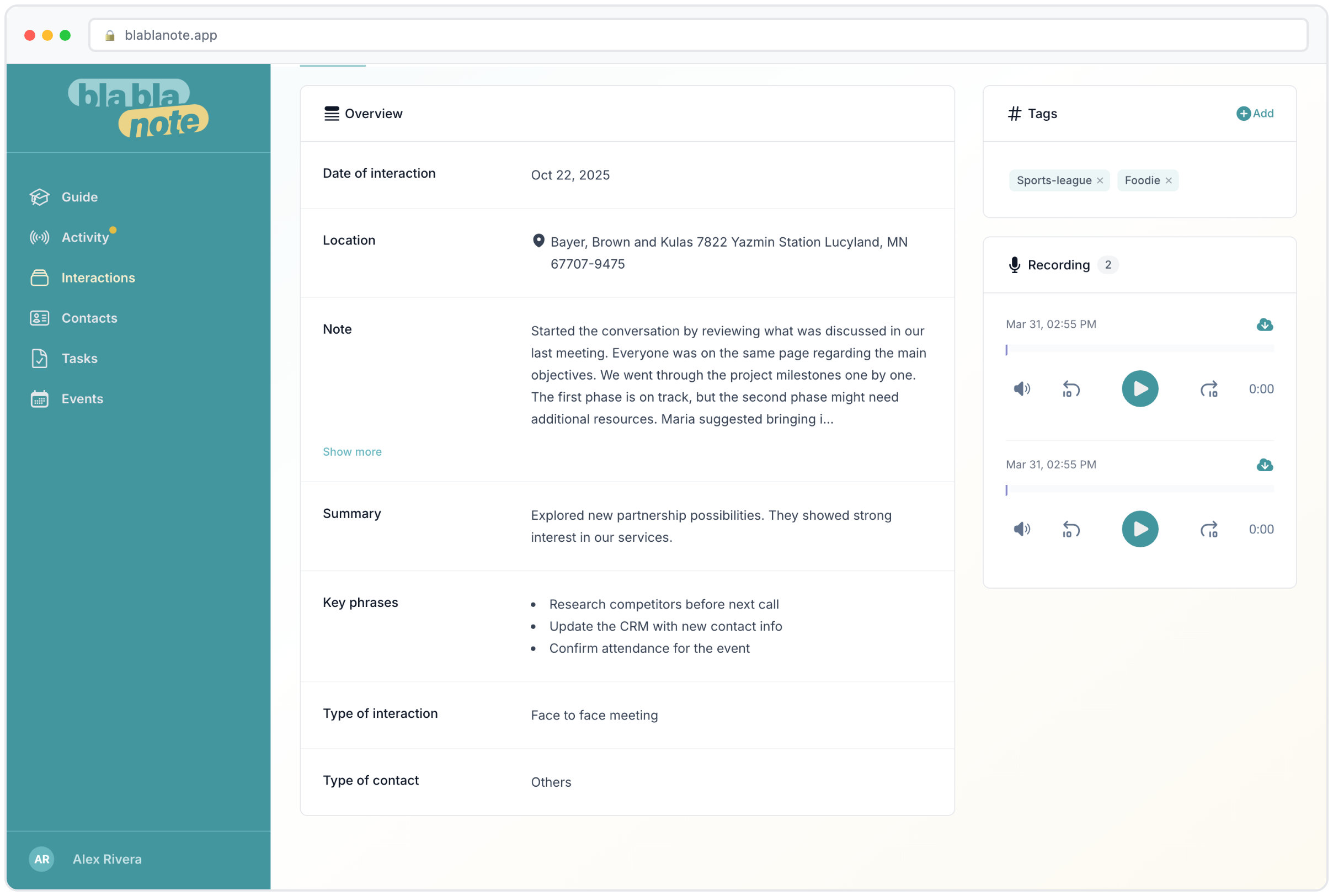
This is where BlaBlaNote goes beyond a simple voice recorder. Once your audio is transcribed, the AI pulls out the important stuff: a summary of what was discussed, the key phrases worth remembering, and any tasks or action items that came up. All of it searchable. All of it linked to the contacts involved.
Let’s walk through a real scenario. You just finished a 45-minute call with a potential partner. During the conversation, you discussed their Q3 launch timeline, they mentioned they need a proposal by the 15th, and you agreed to introduce them to your head of product. After you stop recording, BlaBlaNote gives you:
- A summary capturing the main themes: the partnership opportunity, the timeline discussion, the mutual interest in co-marketing.
- Key phrases pulled from the conversation: the specific dates mentioned, the names that came up, the product features they were most interested in.
- Action items automatically extracted: send the proposal by the 15th, make the introduction to your product lead, schedule a follow-up for the week after their launch.
All of this is attached to the contact’s profile. The next time you’re preparing for a meeting with this person, everything is there in one place.
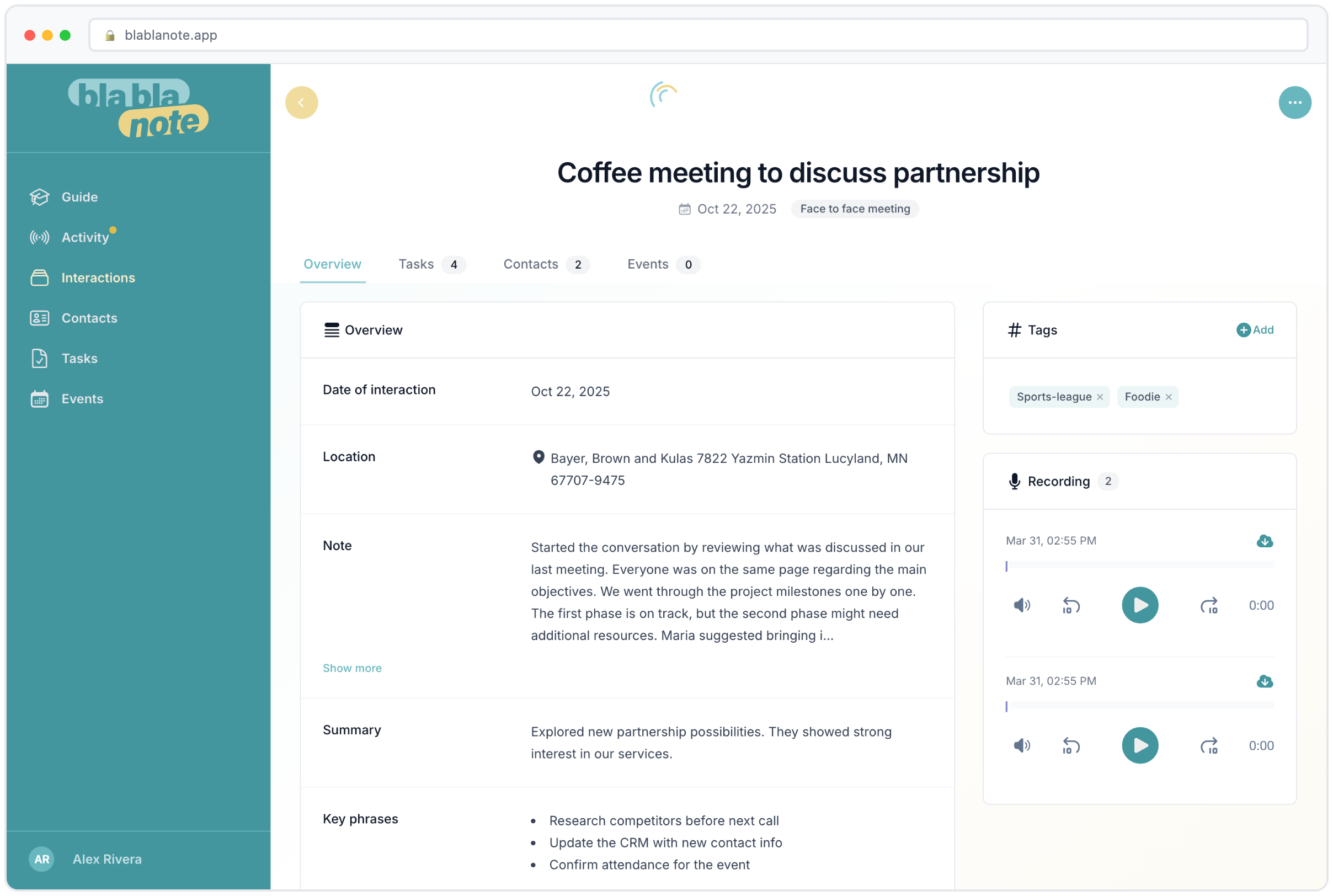
The compounding value of organized voice notes
For a team, that means the notes from a client call are instantly structured and ready to share. For a consultant, the insights from a workshop don’t live in a notebook that never gets opened again. For an account manager juggling 30 relationships, it means every conversation is documented without spending evenings writing reports.
Three months from now, when you need to find what a client said about a deadline or a pricing discussion, you type a few words and it’s there. Six months from now, when a colleague takes over a relationship, the full history is available. A year from now, when you’re reviewing how a partnership evolved, every conversation is documented.
That’s the difference between a voice memo buried in your phone and a voice note that actually works for your business.
Why voice matters in a professional setting
We tried every productivity tool out there. The problem was always the same: you have to stop what you’re doing and type. In a meeting, that means you’re either paying attention or taking notes, rarely both. With voice, you just talk. The thinking and the capturing happen at the same time.
This is especially valuable for roles where conversations are the core of the work: sales, consulting, coaching, account management, business development. These professionals have five, ten, sometimes fifteen conversations a day. Expecting them to type up notes after each one isn’t realistic. But a quick voice recording after walking out of a meeting? That takes 30 seconds, and the AI turns it into structured documentation.
Before and after
Before BlaBlaNote: You finish a client call. You tell yourself you’ll write notes later. Later becomes tomorrow. Tomorrow you remember the main topic but forget the details. The follow-up items get delayed or forgotten. The next time you speak with this client, you’re vaguely aware of what you discussed but can’t reference specifics. The relationship feels transactional because it lacks continuity.
After BlaBlaNote: You finish a client call. You hit stop on the recording (or you make a quick phone call on your way to the next meeting). By the time you sit down at your desk, the summary is ready, the tasks are in your task list, and the note is linked to the contact. The next time you meet this client, you open their profile and everything is there. You remember what matters to them. The relationship deepens because nothing falls through the cracks.
Tips for getting the most out of voice notes
After watching how thousands of professionals use BlaBlaNote, here are the patterns that work best:
Record immediately after meetings. The freshest capture is the best capture. Even a 30-second recap right after you walk out of a room preserves details you’d lose within the hour.
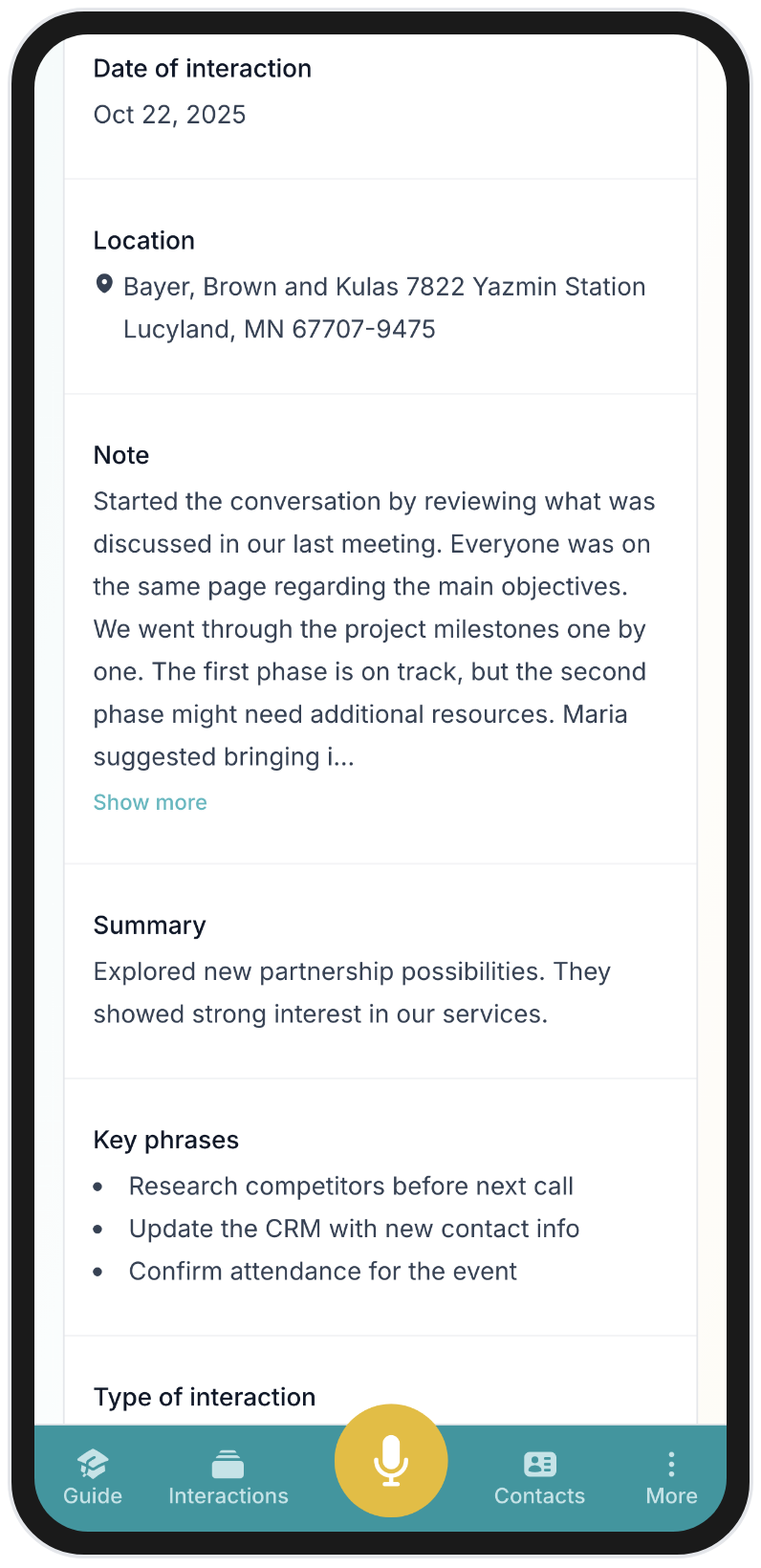
Don’t worry about structure. Just talk naturally. The AI handles the organization. Mention names, dates, action items, and concerns in whatever order they come to mind. The AI will sort them into summaries, key phrases, and tasks.
Use it for quick thoughts too. Not every note needs to be a meeting recap. “Remind me to send the updated pricing to Sarah before Thursday” becomes a task linked to Sarah’s contact. “I think we should explore a partnership with Acme Corp” becomes a searchable idea you can find when the timing is right.
Link notes to contacts. The real power of BlaBlaNote emerges when notes are connected to the people they’re about. Over time, each contact builds a rich history that makes every future interaction more informed. This is what turns BlaBlaNote from a voice recorder into a personal CRM that actually works.
Let the AI teach itself your language. If you use industry-specific terminology, the AI learns your vocabulary over time. The more you use it, the better the transcriptions get.
Built for real workflows
Some of our users record quick 30-second reminders on the go. Others capture full hour-long strategy sessions. Both work the same way. Upload MP3s, WAVs, M4As, or just press the button. We kept the interface minimal on purpose, because the moment you have to think about the tool, you’ve already lost the thought.
The voice notes integrate with everything else in BlaBlaNote. Tasks extracted from recordings appear in your task list alongside tasks from every other source. Notes show up in contact profiles, enriching the history you build with each person. Insights feed into your weekly planning email, so you start each week knowing what matters most.
For coaches, there are specialized templates that structure session notes around coaching-specific frameworks. For networkers, voice notes captured at events connect to new contacts you’ve added, building context from the first interaction.
This isn’t a feature that exists in isolation. It’s the foundation of everything BlaBlaNote does. Every other capability, from contact management to meeting preparation to weekly planning, starts with capturing the conversation. And the easiest way to capture a conversation is to talk.