
- A card that lives on your phone
- What makes this different from a LinkedIn profile
- Share it everywhere
- Practical places to use your visiting card link
- You control what’s visible
- Tailoring your card to the context
- Why it matters for networking
- The compound effect of frictionless exchange
- For teams
- Consistent brand presence
- Onboarding new team members
- Combining the card with BlaBlaNote’s relationship tools
- Setting up your card
You’re at a conference. Someone asks for your card. You reach into your pocket and realize you left them at the office. Or worse, you have them but the job title is from two roles ago. Or you hand one over and know, with absolute certainty, that it will end up in a drawer somewhere, never to be seen again.
Paper business cards had a good run. But in a world where the first thing most people do with a card is type the information into their phone, we thought: why not skip that step entirely?
The ritual of exchanging business cards has survived for centuries because the underlying need is real: when you meet someone professionally, you need a reliable way to exchange contact details. The problem isn’t the ritual. It’s the medium. Paper cards get lost, go out of date, and create unnecessary work for the person who receives them. A digital card preserves the ritual while eliminating every friction point that made paper cards unreliable.
A card that lives on your phone
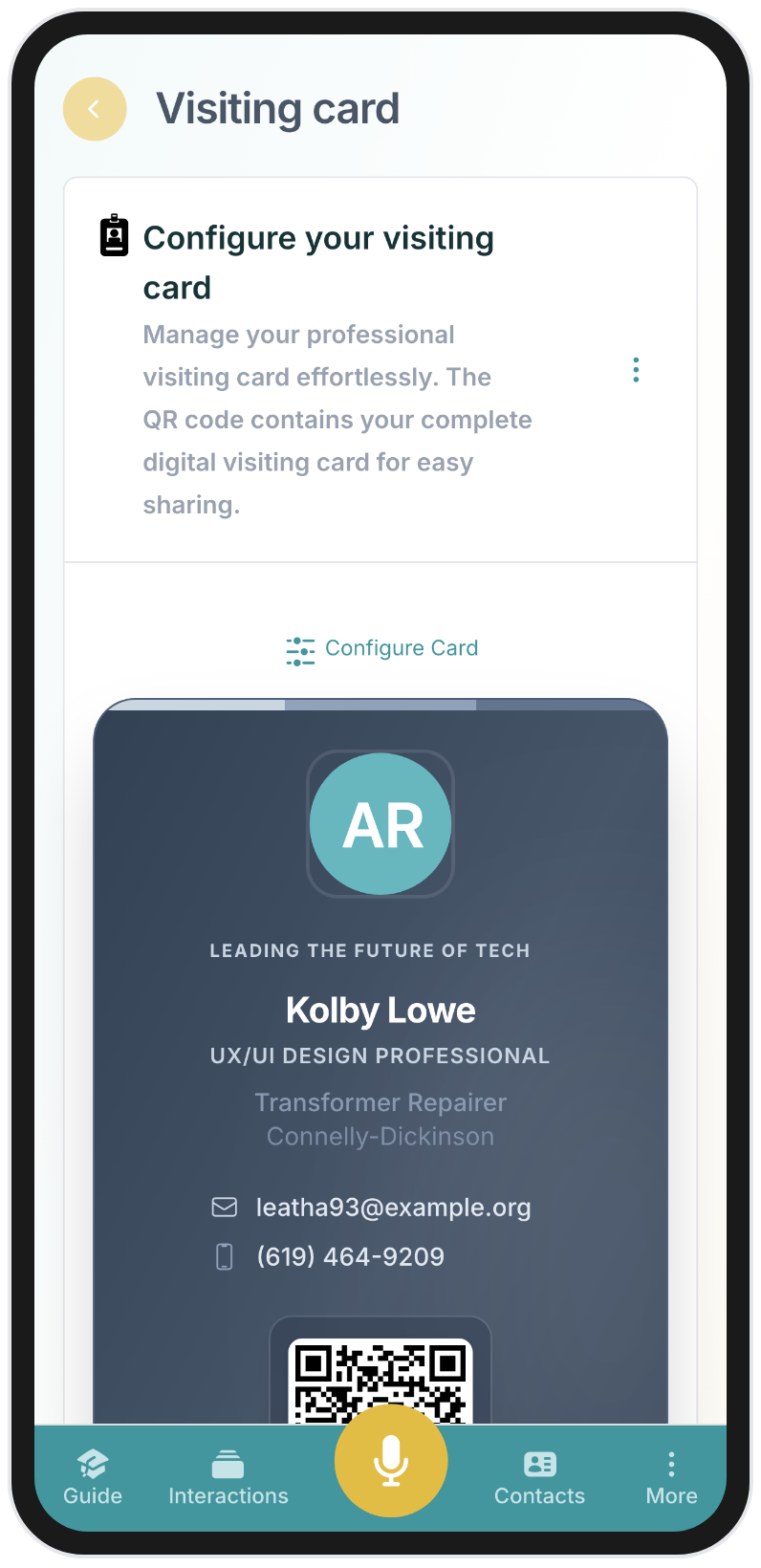
BlaBlaNote’s visiting card is a digital profile you control. Your name, title, company, photo, bio, email, phone, LinkedIn, and website. All in one clean page with a unique public link and a QR code.
At a networking event, you pull up the QR code on your phone. The other person scans it and sees your full professional profile instantly. They can save your details to their phone contacts with one tap through vCard download. No typing, no spelling your email out loud, no “I’ll find you on LinkedIn later” that never happens.
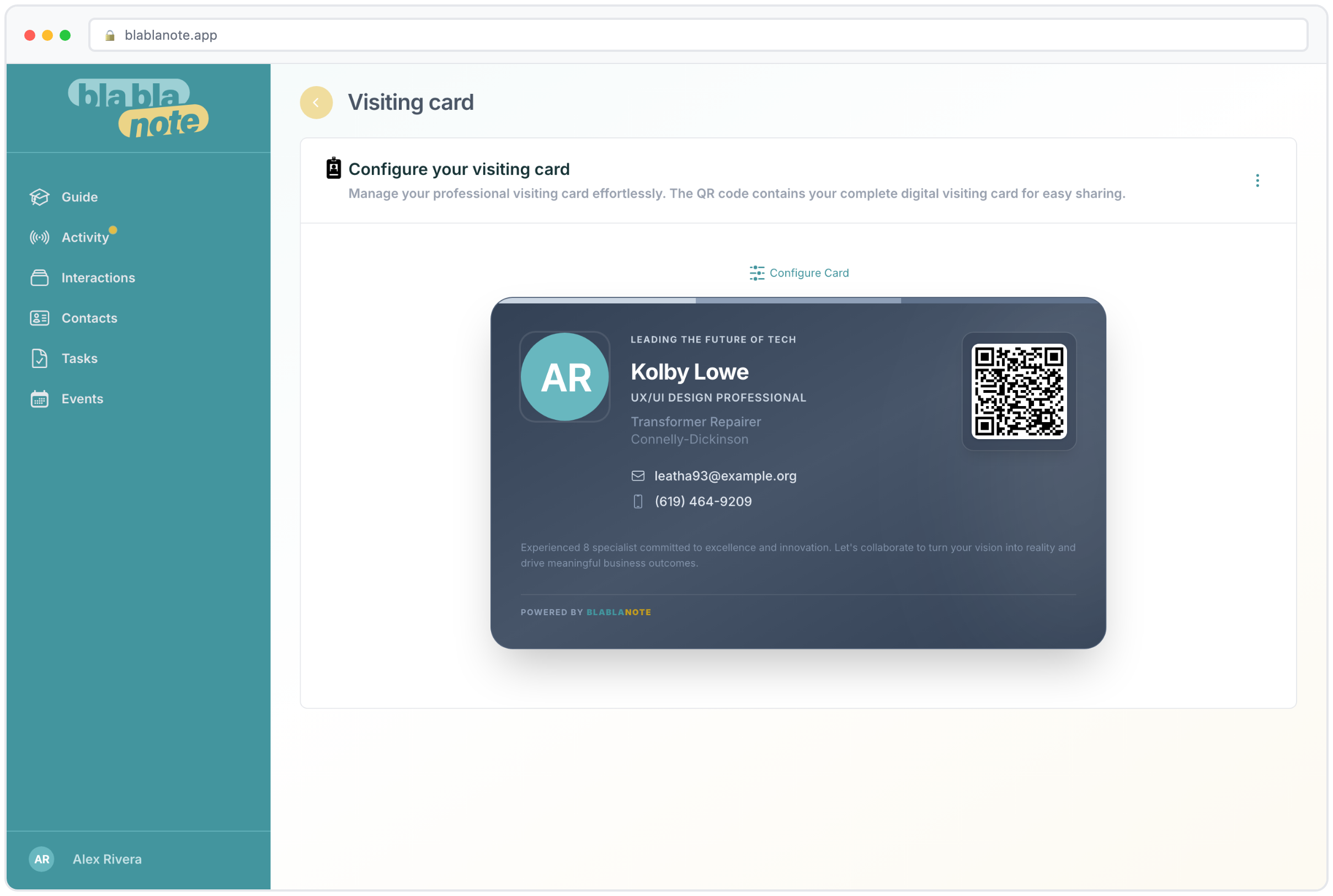
For professionals attending events, this is a meaningful upgrade. Instead of distributing paper cards that get lost in a stack of 50, you create a digital touchpoint that’s saved directly to the person’s phone. Your contact details are in their address book before the conversation ends.
What makes this different from a LinkedIn profile
You might be thinking, “I can just show someone my LinkedIn profile.” And you’re right, to a point. But LinkedIn serves a different purpose. It’s a professional presence, not a contact exchange tool. When someone visits your LinkedIn profile, they see your career history, your posts, your endorsements. What they don’t see, prominently, are the details they actually need to reach you: your direct email, your phone number, your company website.
A visiting card is purpose-built for contact exchange. It shows exactly what someone needs to save you as a contact, and nothing else. It downloads to their phone’s native contacts app. It works for people who aren’t on LinkedIn. And it doesn’t require the other person to have any specific app installed: they just scan and save.
Share it everywhere
The visiting card isn’t just for in-person meetings. Add the link to your email signature and every email you send becomes an opportunity for someone to save your full profile. Put it on your LinkedIn. Include the QR code on printed materials, presentations, or proposals. Send it in a message.
The link is yours: a clean, professional URL that you can share however makes sense. For consultants, freelancers, and business developers who meet people across multiple channels, this means you have one consistent way to share your professional identity, whether the introduction happens at a dinner, over email, or in a LinkedIn message.
Practical places to use your visiting card link
- Email signature. Add a small “Save my contact” link at the bottom of your email signature. Every email becomes a chance for the recipient to save your complete details.
- LinkedIn profile. Add the link in your contact info section or your featured content. It gives visitors a one-click way to save your details outside of LinkedIn.
- Presentations and slides. Include the QR code on your last slide. After a talk, attendees can scan it from their seats instead of rushing the stage to exchange cards.
- Proposals and documents. Add your visiting card link to proposals, contracts, and reports. It’s a subtle but professional touch that makes it easy for clients to keep your details handy.
- WhatsApp and Telegram. When you meet someone through a messaging app and want to share your professional details, send them your visiting card link. It’s cleaner than typing out your email and phone number in a chat message, and they can use BlaBlaNote’s WhatsApp and Telegram capture to save the interaction context too.
- Event registrations. Some events let you add a personal URL to your attendee profile. Your visiting card link is perfect for this.
You control what’s visible
Not everything needs to be public. You choose which fields to show and which to keep private. Use a business email instead of your personal one. Show your LinkedIn but hide your phone number. The card adapts to what you’re comfortable sharing.
You can also turn the card on and off. Heading to a public event where you want to be findable? Enable it. Want to go quiet for a while? Disable it and the link returns a 404. Your visibility, your rules.
Tailoring your card to the context
The ability to control visibility is more useful than it sounds. Consider the different contexts in which you share contact information:
At a large public conference, you might want to show your name, title, company, email, and LinkedIn, but hide your phone number. You’re open to professional connections but don’t want your direct line shared with hundreds of strangers.
When meeting a potential client one-on-one, you might enable your phone number temporarily because you want them to be able to reach you directly. After the engagement is formalized, you can adjust visibility again.
For a speaking engagement, you might tailor your bio to emphasize your expertise on the topic you just presented, making the card a natural extension of your talk.
The point is that a digital card is a living document. Unlike paper, where you’re stuck with whatever you printed three months ago, your visiting card can evolve with your needs in real time.
Why it matters for networking
A business card exchange is really the first step in a relationship. The faster and cleaner that step is, the more likely the relationship develops. When someone scans your QR code and your complete profile lands in their phone, there’s no gap between “we met” and “I can reach you.” That gap is where most conference connections go to die.
Think about the typical post-conference experience. You come home with a stack of paper cards. Some are crumpled. A few have handwritten notes on the back that you can’t quite read. You intend to add them all to your contacts, but life gets in the way. A week later, you find the stack in your bag and can barely remember who half these people are. By the time you reach out, the connection has gone cold.
With a digital card, that entire failure mode disappears. The person’s phone already has your details. The connection is saved in the moment it’s made. And if they’re using BlaBlaNote too, they can immediately start tracking the relationship, adding notes about your conversation, and setting follow-up reminders.
The compound effect of frictionless exchange
Every reduction in friction increases the probability that a connection becomes a relationship. When saving your contact takes one tap instead of five minutes of data entry, more people actually do it. When your details are in their phone instead of on a card in their desk drawer, they’re more likely to reach out. When your information is always current instead of potentially outdated, the outreach is more likely to succeed.
These are small improvements, but they compound. Over a year of conferences, events, and meetings, frictionless contact exchange can mean the difference between a network that grows steadily and one that leaks connections at every touchpoint.
For teams
For teams attending events, having every team member set up with a visiting card means consistent, professional first impressions across the organization. No mismatched cards, no outdated information, no “I ran out of cards” moments.
Consistent brand presence
When five people from your company attend a conference, you want them all to look like they belong to the same organization. With paper cards, that means a print run, a review cycle, and the inevitable discovery that someone’s title changed last month. With digital visiting cards, everyone updates their own profile and the result is always current.
The visiting card also becomes a subtle brand asset. A clean, professional digital card signals that your organization is modern and tech-forward. It’s a small thing, but first impressions are built on small things.
Onboarding new team members
When a new person joins your team, setting up their visiting card takes minutes. They don’t need to wait for a print run or design approval. They fill in their details, upload their photo, and they’re ready for their first client meeting. For fast-growing companies where new hires are meeting clients within their first week, this kind of speed matters.
Combining the card with BlaBlaNote’s relationship tools
The visiting card works best when it’s part of a broader relationship management workflow. Here’s what a complete flow looks like:
- You meet someone at a conference and share your visiting card via QR code.
- They save your details to their phone with one tap.
- You add them to BlaBlaNote as a new contact, either manually or through the browser extension after connecting on LinkedIn.
- You record a quick voice note about the conversation using BlaBlaNote’s voice recording, capturing context you’d otherwise forget by the time you get back to your hotel.
- BlaBlaNote extracts action items from your note, like follow-up tasks and next steps.
- Your weekly planning email includes a reminder to follow up, with the context from your conversation attached.
The visiting card is the first link in a chain of relationship management tools that ensure no connection falls through the cracks. It’s not just a way to share your phone number. It’s the entry point to a system that helps you build and maintain professional relationships over time.
Setting up your card
The setup takes less than five minutes. Go to your profile settings, fill in the fields you want to share, upload a professional photo, and your card is live. You’ll get a unique URL you can share and a QR code you can display from your phone.
A few tips for a great visiting card:
- Use a professional headshot. This is often the first visual impression someone has of you. It doesn’t need to be a studio photo, but it should look intentional.
- Write a concise bio. One or two sentences about what you do and who you help. Think of it as your verbal introduction in written form.
- Include the contact methods you actually monitor. If you never answer your office phone, don’t include it. The card should connect people to channels where you’re responsive.
- Keep it current. Changed roles? Update the card. Got a new email? Update the card. The beauty of digital is that it’s always editable.
Combined with BlaBlaNote’s contact management and follow-up cadence, the visiting card becomes the start of a tracked relationship, not just an exchange of information. It’s the modern answer to a centuries-old professional need: making sure that when you meet someone who matters, the connection sticks.