
- The extension
- What you see on a LinkedIn profile
- Why this changes how you use LinkedIn
- Pre-meeting research
- Post-event follow-up
- Prospecting and outreach
- Building your contact database from LinkedIn
- For teams
- Preventing duplicate outreach
- Shared relationship intelligence
- The workflow in practice
- About privacy
- What the extension does not do
- Getting started
You’re on LinkedIn, looking at someone’s profile. You’ve met them before, you’re almost sure of it. But when? And what did you talk about? You could open BlaBlaNote in another tab and search for their name. But that’s friction, and in a busy professional’s workflow, friction means you probably won’t bother.
This is a surprisingly common situation. You’re browsing LinkedIn, maybe checking who else is attending an upcoming event, maybe reviewing a connection request, maybe researching someone before a meeting. And there’s this nagging sense that you know more about this person than LinkedIn is showing you, because the real relationship context lives in your CRM, your notes, your memory. But it’s not here, where you’re looking right now.
So we brought BlaBlaNote to LinkedIn.
The extension
Install it on Chrome or Firefox. That’s it. From that point on, whenever you visit a LinkedIn profile, BlaBlaNote checks if that person is in your contacts. If they are, you see your interaction history, your notes, when you last spoke, all right there on the LinkedIn page. No tab switching, no searching.
If they’re not in your contacts yet, one click adds them. The extension pulls in their name, title, company, and photo automatically. Your new BlaBlaNote contact is instantly enriched and ready for you to start tracking the relationship.
For professionals who use LinkedIn to stay connected, this changes the workflow completely. Instead of manually copying contact details into a separate tool, one click creates a rich contact profile. And from that moment, every interaction you have with that person, whether it’s a call, a meeting, or a voice note, is automatically linked to their profile.
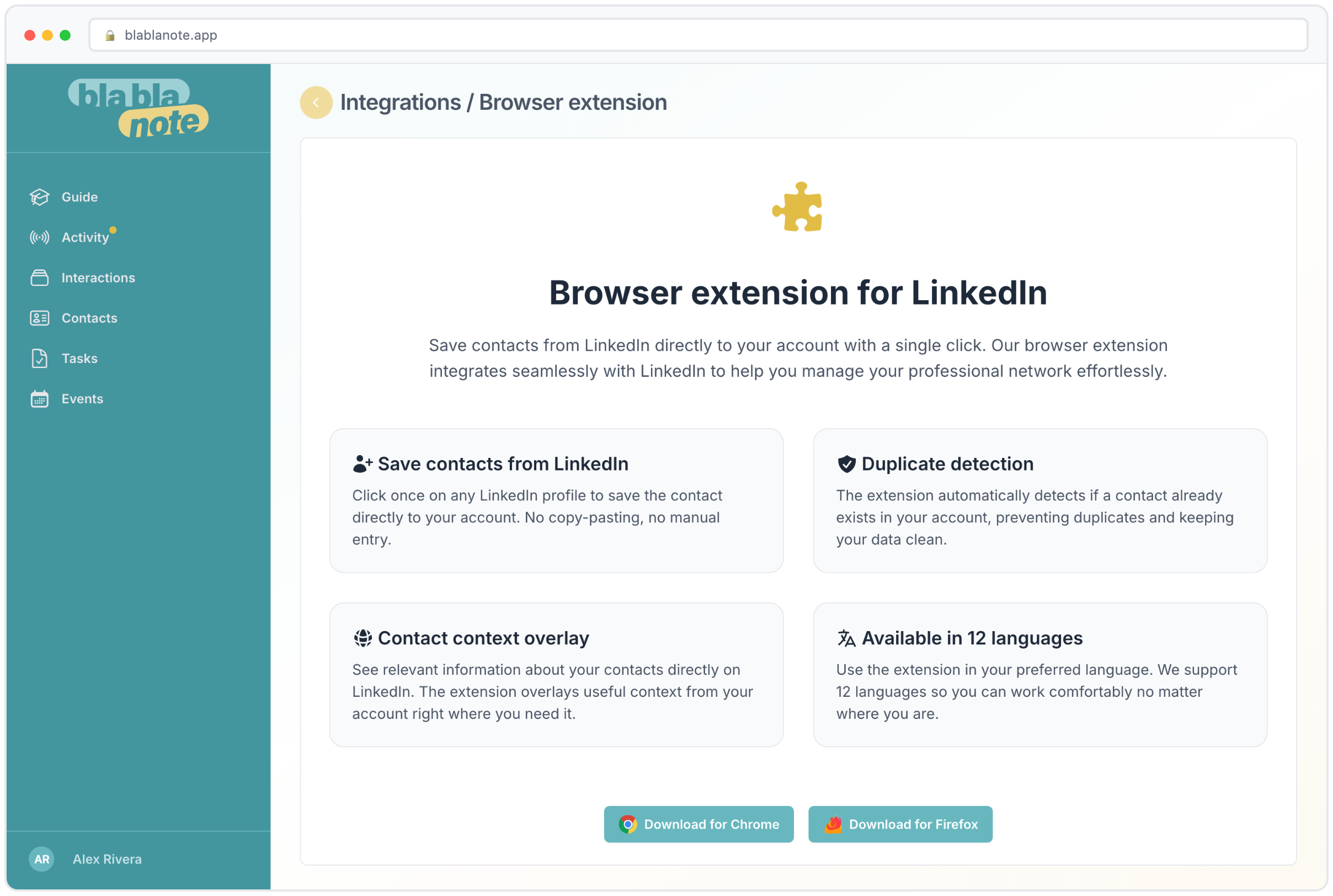
What you see on a LinkedIn profile
When you visit a LinkedIn profile for someone already in your BlaBlaNote contacts, the extension adds a sidebar overlay with key information:
- Last interaction date. How long has it been since you spoke?
- Interaction summary. A brief recap of your most recent conversation or note.
- Tags and notes. Any tags you’ve added and any manual notes you’ve attached to this contact.
- Follow-up status. Is there an open follow-up for this person? Has it been too long since you reached out?
- Quick actions. One-click options to add a note, record a voice note, or set a follow-up reminder.
This means that LinkedIn becomes more than a directory. It becomes a window into your actual relationship with each person. The public profile shows you their career history. BlaBlaNote shows you your shared history.
Why this changes how you use LinkedIn
Before the extension, LinkedIn was a place to connect and BlaBlaNote was a place to remember. Now they’re the same place. You’re reviewing someone’s profile before a call? Your conversation history with them is right there in the sidebar. You’re writing a follow-up message after a conference? The notes from your conversation are visible without leaving the page.
Pre-meeting research
One of the most common workflows is checking a LinkedIn profile before a meeting. You want to see what someone’s been up to, whether they’ve changed roles, what they’ve been posting about. With the extension, you also see your complete relationship history: what you discussed last time, what commitments were made, what context your meeting briefing has surfaced. All without leaving the page you’re already on.
This is especially valuable when you have back-to-back meetings. You don’t have time to open three different tools and cross-reference information. You open the LinkedIn profile, see both the public context and your private context in one view, and you’re ready.
Post-event follow-up
After a conference or networking event, most professionals go through a phase of connecting with people they met. You open LinkedIn, find the person, send a connection request. With the extension, this process becomes richer. When you visit their profile, you can immediately see if you already added them to BlaBlaNote (maybe you recorded a voice note about your conversation at the event). If you did, the context is right there, helping you write a personalized connection message instead of the generic “Great meeting you at the conference.”
If you haven’t added them yet, one click does it. The extension pulls their details from LinkedIn, and you can add notes about where you met and what you discussed. The contact is created, enriched, and ready for ongoing relationship management, all without leaving LinkedIn.
Prospecting and outreach
For business development professionals, the extension turns LinkedIn browsing into an intelligence-enriched activity. As you review potential prospects, you can see at a glance which ones you’ve already interacted with, what was discussed, and whether there’s an open opportunity. This prevents the embarrassing situation of reaching out to someone as if you’ve never met when you actually had a detailed conversation six months ago.
It also helps with prioritization. When you’re looking at a list of conference attendees or search results, the extension flags the people you already have a relationship with. Those warm connections are usually better starting points than cold outreach, and now they’re visually highlighted in your browsing flow.
Building your contact database from LinkedIn
The extension isn’t just about viewing existing contacts. It’s one of the most efficient ways to build your BlaBlaNote contact database. Combined with the LinkedIn network import feature, which lets you bulk-import your existing connections, the extension handles the ongoing enrichment of individual contacts.
Here’s a practical workflow:
- Bulk import your existing LinkedIn network into BlaBlaNote using the import feature.
- As you browse LinkedIn daily, the extension shows you which contacts are in your database and which aren’t.
- When you encounter someone new who’s worth tracking, one click adds them with their current LinkedIn details.
- Over time, your BlaBlaNote database becomes a comprehensive, enriched version of your professional network, with relationship context that LinkedIn itself doesn’t capture.
This gradual enrichment is more sustainable than trying to set up a complete CRM in one sitting. You add people as they become relevant, and each addition is immediate and effortless.
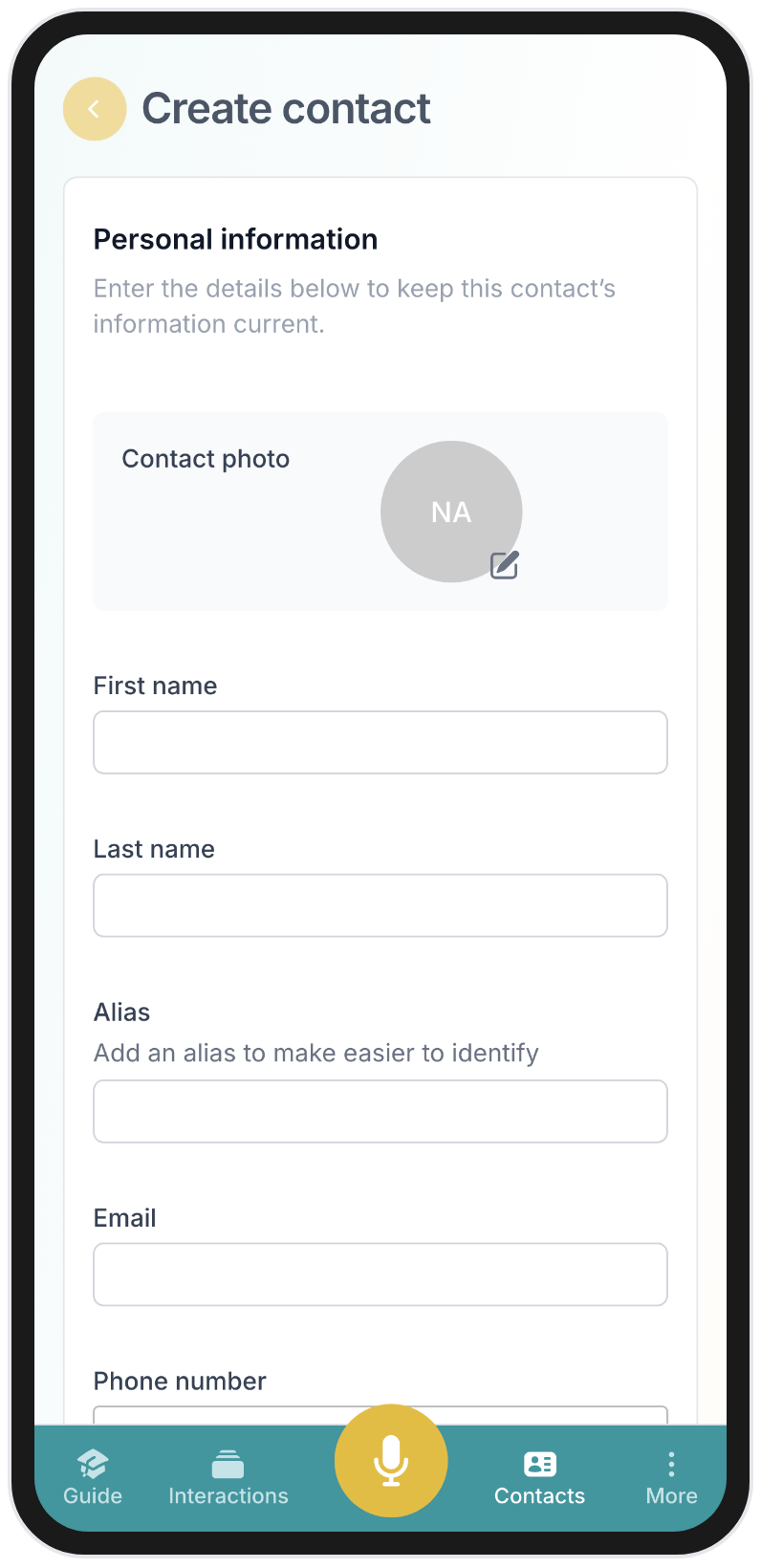
On mobile, the same workflow applies. When you discover someone worth adding to your network while browsing on your phone, you can create the contact directly in the BlaBlaNote app with all the relevant details.
For teams
For teams, the extension means LinkedIn becomes a true relationship intelligence platform, not just a directory. You can see at a glance who you’ve spoken to, what was discussed, and whether there’s an open follow-up. For account managers, it’s a quick way to check on a client relationship before reaching out. The context is always available where you’re already working.
Preventing duplicate outreach
One of the most common problems in sales and business development teams is duplicate outreach. Two people from the same company contact the same prospect without knowing about each other’s interactions. With the extension, when a team member visits a LinkedIn profile, they can see if anyone on the team has already engaged with this person. This prevents awkward overlaps and presents a more coordinated front to potential clients.
Shared relationship intelligence
When team members use the extension alongside BlaBlaNote’s shared contact features, the organization builds a collective intelligence layer on top of LinkedIn. An account manager can see that a colleague had coffee with a prospect last month. A sales rep can see that the CTO already demoed the product to someone at the target company. This shared context, visible right on the LinkedIn profile, transforms how teams approach relationship-driven sales.
The workflow in practice
Let’s walk through a concrete example. You’re a consultant, and you have a call scheduled with a potential client tomorrow. Here’s how the extension fits into your preparation:
Evening before the call. You open their LinkedIn profile to refresh your memory on their background. The extension shows that you met them at a conference two months ago, you recorded a voice note about your conversation (they were interested in your supply chain optimization work), and there’s an open follow-up from your weekly planning email suggesting you reconnect.
Before the call. You review the meeting briefing BlaBlaNote generated, which includes the conversation context from the extension and any notes you’ve added. You walk into the call knowing the history.
After the call. You record a quick voice note summarizing what was discussed. BlaBlaNote extracts the action items and links them to the contact. Next time you visit their LinkedIn profile, the extension shows this latest interaction too.
This loop, see context, have the conversation, capture the outcome, repeats for every relationship you manage. The extension is the part that makes the context visible where you’re already working.
About privacy
The extension only activates on LinkedIn. It doesn’t track your browsing, doesn’t collect data from other sites, and connects exclusively to your own BlaBlaNote account. We built it this way because we take privacy seriously, and because an extension that overreaches its purpose is an extension that companies won’t approve for their teams. Security-conscious organizations can deploy it knowing it does one thing and nothing more.
What the extension does not do
To be explicit about boundaries:
- It does not scrape LinkedIn data beyond what’s visible on profiles you visit. It reads publicly displayed information to match against your contacts.
- It does not run in the background. It only activates when you’re on a LinkedIn page.
- It does not share your BlaBlaNote data with LinkedIn or any third party.
- It does not require special LinkedIn permissions. It works with your normal LinkedIn browsing session.
- It does not access other tabs or sites. Its scope is strictly limited to LinkedIn pages.
For IT administrators evaluating the extension for team deployment, this narrow scope makes it straightforward to approve. It enhances LinkedIn with your own private data. That’s all it does.
Getting started
Install the extension from the Chrome Web Store or Firefox Add-ons page, log in with your BlaBlaNote account, and you’re ready. There’s no configuration, no setup wizard, no preferences to tweak. It works immediately.
It sounds like a small thing, but the extension removes just enough friction that people actually use the context they’ve built up. And that’s the whole point. The richest relationship history is worthless if no one looks at it. By surfacing your contact intelligence exactly where you’re already browsing, the extension turns passive LinkedIn usage into active relationship management, one profile visit at a time.