
You’re driving back from a meeting. The conversation went well, and there are three things you absolutely need to remember: a concern they raised, the timeline they mentioned, and the name of someone they want to introduce you to. You can’t open the app. You can’t type. But you can make a phone call.
That’s the idea behind Call to Capture.
We designed this feature around a simple truth: the best time to capture what happened in a conversation is immediately after it ends. Every minute that passes, details fade. An hour later, you remember the general themes but lose the specifics. By the next day, the nuances are gone entirely. For professionals whose work depends on the quality of their follow-ups and the depth of their relationships, those lost details matter.
How it works
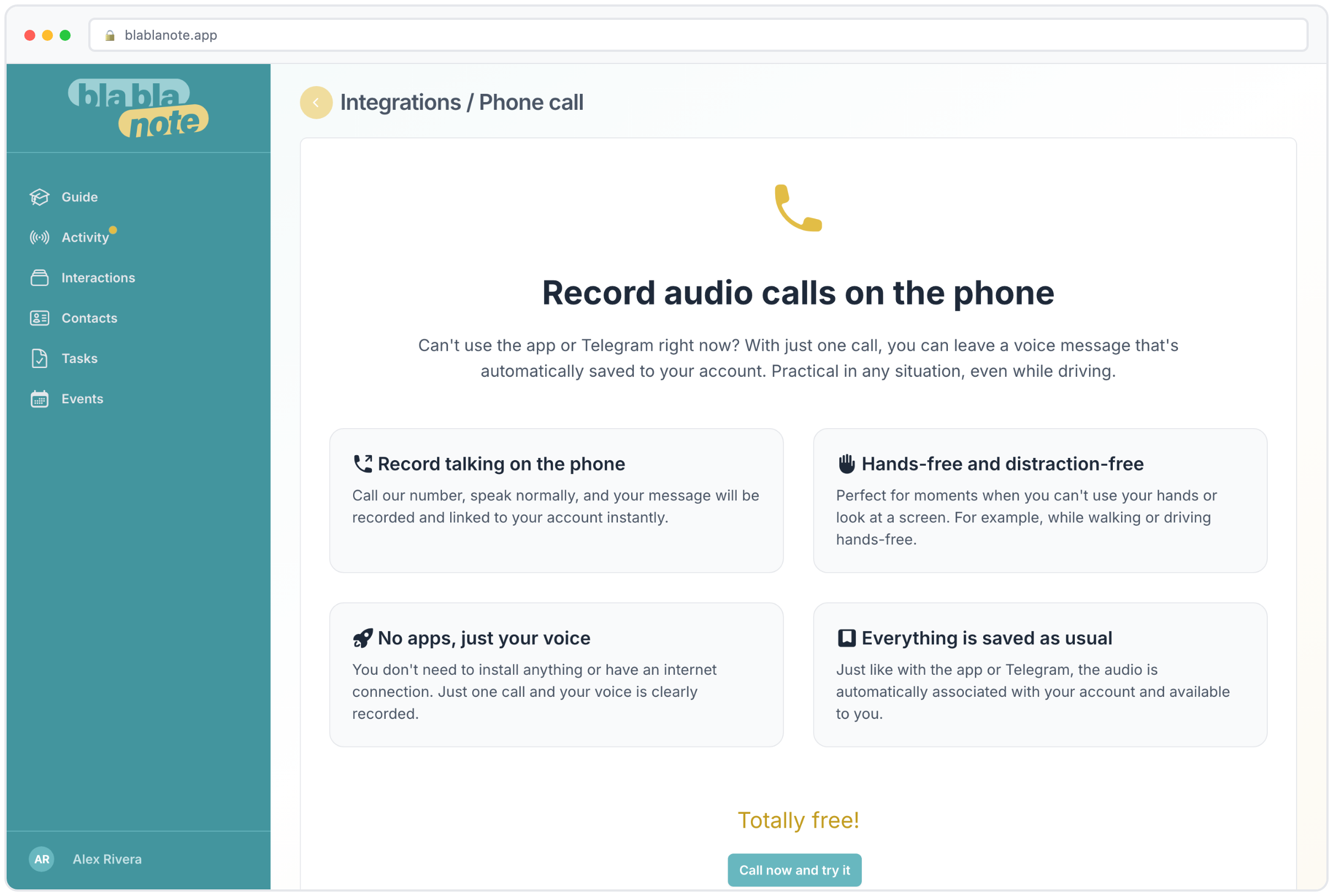
You dial BlaBlaNote’s phone number. You say what’s on your mind. You hang up. That’s the whole process.
On the other end, your voice message gets transcribed, processed by AI, and saved to your account. By the time you sit down at your desk, the note is there with a full transcript, a summary, and any action items already extracted. The key details from that meeting are documented, not lost to the 45-minute drive back to the office.
What happens behind the scenes
When you call in, BlaBlaNote’s system does several things in sequence:
- Records your message in high-quality audio.
- Transcribes it using the same AI engine that powers all BlaBlaNote voice notes, with automatic language detection, grammar correction, and multi-language support for over 12 languages.
- Generates a summary extracting the main points from what you said.
- Identifies tasks and action items mentioned in your message and creates them in your task list.
- Extracts key phrases like names, dates, numbers, and specific details.
- Saves everything to your account, ready for you to review, refine, and link to the relevant contacts.
The result is identical to what you’d get from recording directly in the app. Same AI processing, same quality, same structured output. The only difference is the entry point.
A real-world example
You just finished a lunch meeting with a potential client. Walking to your car, you dial the BlaBlaNote number and say:
“Just finished with Anna from TechCorp. She’s interested in the enterprise plan, wants a demo for her team of 15 by end of next week. Budget concern is the main blocker, she needs it under 500 per seat annually. She mentioned they’re also talking to CompetitorX. Follow up with pricing options by Thursday. She also wants an intro to our CTO to discuss API integration.”
By the time you’re back at the office, you have:
- A structured note linked to Anna’s contact profile
- A summary of the meeting’s key points
- Three tasks: schedule the demo, send pricing options by Thursday, set up the CTO introduction
- Key phrases: TechCorp, enterprise plan, team of 15, 500 per seat, CompetitorX, API integration
That took about 30 seconds of talking. Writing that up manually, with the same level of detail, would take 10 to 15 minutes, if you remembered to do it at all.
When you need it
We built this feature for the moments when every other capture method falls short.
You’re behind the wheel after a meeting. You can’t touch a screen, but you can use hands-free calling. The details from the meeting are fresh, and you know that by the time you park, you’ll have already moved on to thinking about your next appointment.
You’re at a job site, warehouse, or location with spotty internet. Cell signal works fine, but the app needs data connectivity. A phone call works on any cellular connection, even where WiFi and mobile data don’t reach.
You’re using a company-issued phone that doesn’t allow additional app installations. Many organizations restrict what employees can install on corporate devices. A phone call doesn’t require any app, any installation, or any IT approval.
You just had a conversation in an elevator, a hallway, or at a coffee bar. You want to capture it instantly without the unlock-find-app-press-record sequence. By the time you navigate to the app, the moment has passed. A phone call starts in seconds.
You’re at a networking event and you’ve just exchanged business cards with five people in 30 minutes. Between conversations, you step aside and call in quick notes about each person: what they do, what you discussed, what you want to follow up on. Each note gets captured and can be linked to the contact later.
A phone call is the lowest-friction way to record a thought. Everyone knows how to do it, and it works everywhere. No training required, no app installation, no dependencies on internet connectivity.
Same destination, different roads
This is something we care a lot about in BlaBlaNote: it shouldn’t matter how a note gets in. Whether you record in the app, forward a WhatsApp voice message, upload a file, or call in by phone, the note lands in the same inbox. Same AI processing, same quality, same experience. The entry point changes, the result doesn’t.
Why multiple entry points matter
People work in different contexts throughout the day. At your desk in the morning, you might use the app directly. In a meeting, you might record with your phone. Commuting home, you call in. On the weekend, you might forward a voice message from WhatsApp. The point is that capture should fit your context, not the other way around.
This philosophy also extends to the browser extension, which lets you capture notes while you’re working at your computer. And for people who prefer typing, BlaBlaNote handles text notes too. Everything ends up in the same organized system, searchable and linked to contacts.
For organizations rolling out BlaBlaNote
For organizations deploying BlaBlaNote across their teams, this flexibility matters enormously. Not everyone is comfortable with new apps. Some team members are tech-savvy early adopters who’ll explore every feature. Others are skeptical of new tools and resistant to changing their workflow.
But everyone can make a phone call. It lowers the adoption barrier dramatically, especially for:
- Teams with mixed tech comfort levels. The phone-based option means you can roll out BlaBlaNote to the entire team without requiring everyone to learn a new app on day one.
- Industries where people spend most of their day away from a screen. Construction, healthcare, real estate, field sales, any role where you’re moving between locations and meetings all day.
- Remote and distributed teams where people use different devices, operating systems, and workflows. A phone call works from any device.
The team members who start with phone calls often migrate to the app once they see the value. But the critical first step, actually capturing the information, happens from day one regardless of tech comfort.
For people who aren’t always at a desk
If your work takes you out into the world, meetings, site visits, property showings, field inspections, medical rounds, commuting between offices, this feature will become one of your most-used. The best time to capture what happened in a meeting is right after it ends, while everything is fresh. Every hour that passes, you lose details. With Call to Capture, “right after” can mean the walk to your car.
Building a capture habit
The professionals who get the most out of Call to Capture are the ones who build it into their routine. They finish a meeting, walk out, and dial the number. It becomes as automatic as getting in the car or checking the next appointment on the calendar. Thirty seconds of talking captures what 15 minutes of typing would, and it happens while you’re in transit, not during time that could be spent on productive work.
Here are some patterns we’ve seen work well:
The post-meeting debrief. Immediately after every meeting, call in the three to five most important points: what was discussed, what was decided, what needs to happen next. This takes 30 to 60 seconds and captures 90% of the value.
The end-of-day roundup. Some professionals prefer to do one longer call at the end of the day, summarizing all their meetings and interactions. This works well if your days are back-to-back and you don’t have time between meetings.
The event noter. At conferences and networking events, call in brief notes about each person you meet. “Just met Sarah from Acme Corp, she runs their European expansion, interested in a partnership, follow up next week.” These notes become invaluable when you sit down to send follow-ups the next day.
The idea catcher. Not every call-in is about a meeting. Some of our users call in ideas, reminders, and observations throughout the day. “Idea for the Q3 proposal: include the case study from the healthcare project.” “Reminder: ask David about the London office when I see him Tuesday.” These small captures add up to a comprehensive external brain.
The compound effect
We’ve seen professionals who are constantly on the move adopt this as their default capture method. You finish a meeting, call in the key takeaways during the drive to your next appointment, and by the time you’re back at your laptop, the structured notes are already waiting. No evening catch-up sessions, no forgotten details, no important things lost about the people you just spoke with because you didn’t write them down in time.
Over weeks and months, this creates a rich, detailed record of every professional interaction. When you prepare for a meeting with someone you haven’t seen in three months, the notes from your phone calls are there in their contact profile. When your weekly planning email arrives on Monday, the tasks you called in during the previous week are organized and ready for review.
The simplest capture method often turns out to be the most powerful one, because it’s the one you actually use consistently.