
- The full picture of every relationship
- What a contact profile actually contains
- Tags and custom fields
- Staying in touch, on purpose
- Your digital visiting card
- Why digital cards matter more than you think
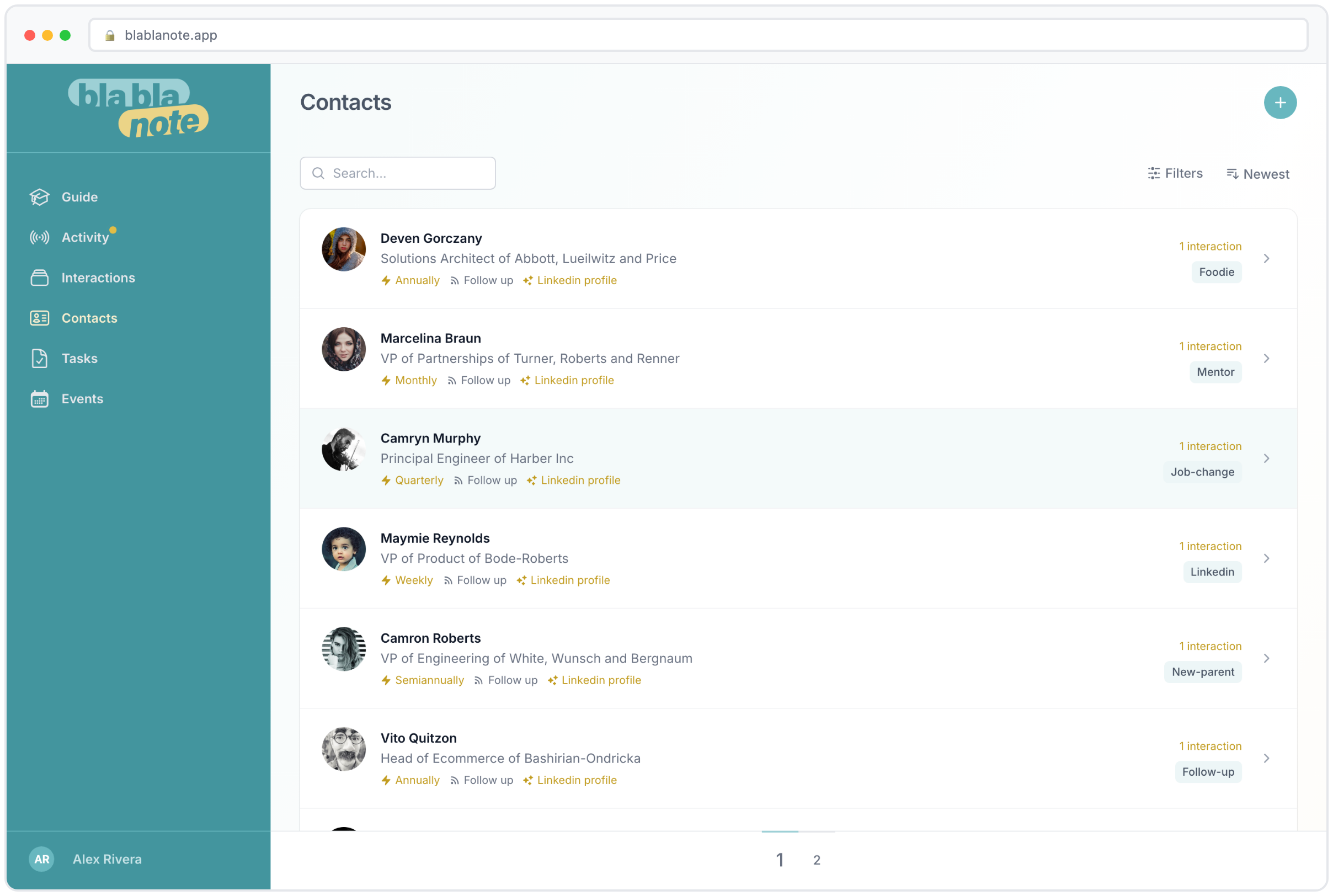
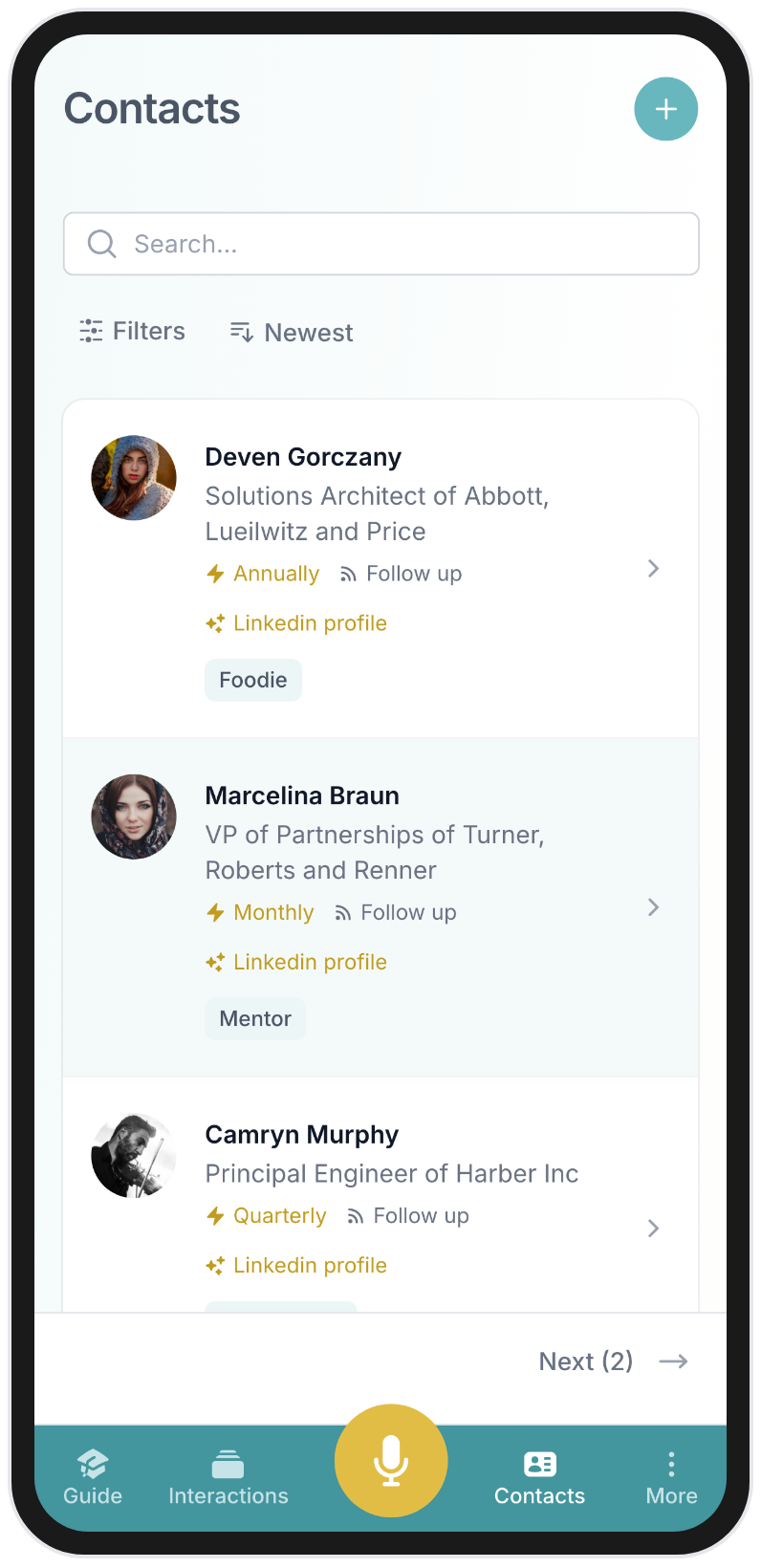
- All your contacts, one place
- The problem with scattered contacts
- For teams and organizations
- Getting started
You meet someone interesting at a conference. Good conversation, exchanged LinkedIn connections, said “let’s keep in touch.” Two months later, you see their name pop up somewhere and think: “Wait, what did we talk about?”
This happens all the time. Not because you don’t care, but because there’s no good place to keep that context. Your address book stores a name and a phone number. LinkedIn stores a connection date. Neither of them tells you the story of the relationship.
That’s what BlaBlaNote does.
The full picture of every relationship
When you open a contact in BlaBlaNote, you don’t just see their name and email. You see every interaction you’ve ever had with them. That call last Tuesday, the meeting notes from January, the voice memo you recorded walking back from lunch with them. It’s all there, organized by date, with the summaries and key points already extracted.
Add a contact and BlaBlaNote can pull in their professional profile from LinkedIn automatically: job title, company, background. No typing required. And if you use the browser extension, you can do this without ever leaving LinkedIn.
For professionals who manage many relationships, this means every person you care about has a rich profile with the full conversation history attached. No more digging through emails to remember what you discussed. The people you meet at events and conferences become real contacts with real context, not just names in a spreadsheet. The details that make your relationships meaningful are always at your fingertips.
What a contact profile actually contains
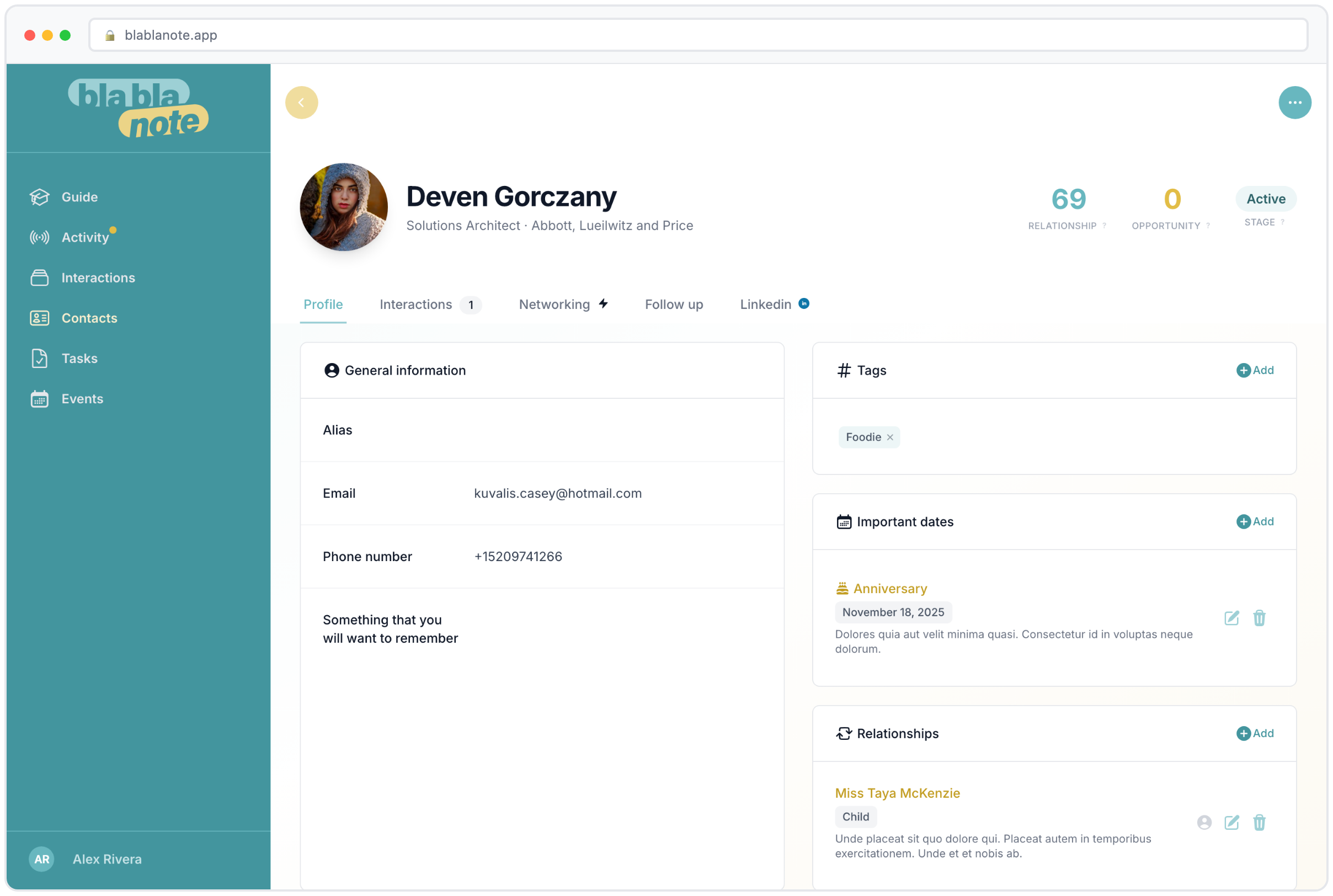
Let’s walk through what a well-maintained contact profile looks like in BlaBlaNote. At the top, you have the basics: name, company, job title, email, phone, and a photo pulled from LinkedIn or Google. Below that, the professional background section shows their career history, education, and skills, all enriched automatically from their LinkedIn profile.
Then comes the part that no other tool gives you: the interaction timeline. Every voice note you’ve ever recorded about this person, every meeting where they were a participant, every phone call debrief, every note you captured from WhatsApp or Telegram. Each entry shows the date, a summary, key points extracted by the AI, and any action items that came out of the conversation.
This timeline is what turns a contact from a name into a relationship. When you’re about to meet someone again after six months, you open their profile and in two minutes you know: what you discussed last time, what commitments were made, what topics they’re passionate about, and what’s happening in their professional life. You walk into the meeting prepared, and the other person notices.
Tags and custom fields
Beyond the automatic enrichment, you can organize contacts with tags and custom fields. Tag contacts by how you met them (“conference-2025”, “client-referral”), by their industry, by their role in your network, or by any category that makes sense for your work. Custom fields let you track information specific to your needs: a client’s preferred communication style, a partner’s fiscal year end date, or a mentor’s area of expertise.
These organizational tools become powerful when combined with search. Need to find every contact you met at a specific event who works in fintech? Filter by event tag and industry. Want to see all contacts at a company you’re trying to partner with? Search by company name and see every person you know there, along with the full history of each relationship.
Staying in touch, on purpose
Here’s what we think is one of the most underrated features in BlaBlaNote: follow-up cadence. You can set a rhythm for each contact. Monthly for key clients. Quarterly for strategic partners. Semiannually for old colleagues or investors you want to keep warm. BlaBlaNote nudges you when it’s time to reconnect.
Most people don’t let relationships fade on purpose. They just get busy. A gentle reminder at the right time is often all it takes to keep a meaningful connection alive. This is the difference between relationships that quietly drift apart and ones that stay strong over the years.
The follow-up system works hand-in-hand with the contact timeline. When a reminder surfaces, you don’t just get a notification that says “reach out to Sarah.” You get the full context of your last interaction, so you can pick up where you left off. Maybe you discussed a project she was launching. Maybe she mentioned a challenge she was working through. That context makes your follow-up meaningful instead of generic.
For anyone who values the people in their professional life, it means your network is built on genuine connection, not just a list of names. Read more about how to set up follow-up cadences and track important dates for every contact.
Your digital visiting card
We also built a digital visiting card with a QR code. 15 themes to choose from, scannable in seconds. It sounds like a small thing, but at a trade show or a business dinner, being able to share your details instantly without fumbling for a paper card makes a real impression. The person scans your code, and your contact information flows into their phone. Clean, professional, memorable.
Why digital cards matter more than you think
Paper business cards have a well-documented problem: most of them end up in a drawer, a pocket, or a trash can within a week. The information on them rarely makes it into any system. Digital cards solve this because the data goes directly into the other person’s phone, where it’s searchable and persistent.
But there’s a subtler advantage. When someone scans your BlaBlaNote QR code, they don’t just get your name and number. They get a professionally designed card that reflects your personal brand. With 15 themes available, you can choose something that matches your style, from minimal and corporate to creative and bold. It’s a small detail that signals you take your professional presence seriously.
At professional events, digital cards eliminate the awkward fumble entirely. You meet someone, have a great conversation, and at the end you pull up your QR code on your phone. They scan it, your details are saved, and you’ve made a clean, modern impression. No “let me find my card holder” or “I think I ran out of cards.” Just a seamless exchange.
You can learn more about how to set up and customize your digital business card.
All your contacts, one place
Import from Google, pull in LinkedIn connections, add people manually. However your contacts get into BlaBlaNote, they all end up in the same system, enriched with the context that makes them valuable.
This convergence is what makes BlaBlaNote different from a simple address book. Your Google contacts bring in the basics: names, emails, phone numbers. Your LinkedIn import adds professional context: job titles, companies, career history. Your browser extension lets you save new contacts as you discover them online. And Telegram and WhatsApp contacts can be imported directly from those messaging platforms.
When these sources overlap, BlaBlaNote’s duplicate detection kicks in. If you import a contact from Google and they’re already in your system from a LinkedIn import, the system identifies the match and lets you merge the records. The result is a single, comprehensive profile with information from every source, no duplicates, no fragmentation.
The problem with scattered contacts
Think about where your professional contacts live right now. Some are in your phone’s address book. Some are LinkedIn connections. Some are in your email contacts. Some exist only as names in old email threads or meeting invitations. A few might be in a spreadsheet you started at some point. And the context behind those contacts, the conversations, the agreements, the personal details, lives entirely in your memory.
This fragmentation creates real problems. When you need to reach out to someone, you search three or four places to find their contact information. When you’re preparing for a meeting, you can’t quickly pull up what you last discussed because that information was in an email you sent six months ago. When a colleague asks “do we know anyone at Company X?” you have to search your memory instead of searching a system.
BlaBlaNote solves this by being the single destination for all your relationship data. One search bar, one timeline, one place where every contact and every interaction lives. The fragmentation ends the day you import your contacts and start recording your conversations.
For teams and organizations
For organizations, BlaBlaNote means relationship intelligence doesn’t walk out the door when someone changes roles. The history stays in the system, accessible to the team. When a salesperson leaves, their client relationships, meeting notes, and contact context remain. When a new team member joins, they can get up to speed on any relationship by reading the interaction timeline instead of asking around.
Shared contacts create shared intelligence. If three team members have separate relationships with contacts at the same company, the team can see the full picture: who knows whom, what’s been discussed, and what opportunities exist. This kind of visibility is what enterprise CRMs promise but rarely deliver for individual relationship management.
Combined with features like meeting preparation and AI-powered conversation insights, the team’s collective relationship management becomes proactive instead of reactive. Meetings are prepared with full context. Follow-ups happen on time. And the knowledge that makes relationships valuable is captured, structured, and shared.
Getting started
The fastest way to populate BlaBlaNote is to import your existing contacts from Google or Outlook, then bring in your LinkedIn network. In under ten minutes, you’ll have a fully populated contact system with professional context attached. From there, every interaction you record, every meeting you prepare for, and every follow-up you send adds to the picture. The contacts you already have become the foundation. The context you add over time is what makes them invaluable.