What we learned building hooks in Claude Code (and what they don't do, even when it looks like they do)

- A hook in fifteen lines
- 1. The doorman who takes too long lets everyone in
- 2. The alarm that rings in the basement
- 3. The alarm that was installed but not connected
- 4. The filter that won’t let you explain the filter
- 5. The banned list versus the guest list
- 6. A sign is not a turnstile
- 7. Two people edit the same document and one saves an old copy over it
- What we took out
- A hook is production code
A few weeks ago we explained how we work with Claude Code: ten repositories, several agents coding at once and one rule underneath it all, that no important rule can depend on someone remembering it.
The piece that holds that rule up is hooks. A hook is a small program Claude Code runs at fixed moments: when a session starts, after every change to a file, before every terminal command. And it can say “no”: if the command is dangerous, it blocks it before it happens.
Think of airport security. Nobody trusts every passenger to remember what they can’t bring: there’s an arch and a conveyor belt that everyone goes through. Hooks are that arch for agents.

At an airport, an arch failing without anyone noticing is very rare. It has a light that says whether it’s on, an operator standing next to it and a test every morning with a metal object. A hook comes with none of that: if it doesn’t run, runs out of time or shouts where nobody is listening, everything stays green. Those checks are yours to add.
That’s what this post is about: seven ways our hooks failed without saying a word, how we noticed and what we changed. If you use hooks, or any automation that acts as a guard, you’ll probably run into a few of them.
A hook in fifteen lines
Before the traps, let’s look at what a hook is like on the inside. This one blocks any attempt to push changes straight to the main branch (git push to main). It’s not our real guard, which does quite a lot more, but it works and you can copy it.
First, the line that wires it up. It goes in .claude/settings.json, inside the project:
{
  "hooks": {
    "PreToolUse": [
      {
        "matcher": "Bash",
        "hooks": [
          {
            "type": "command",
            "command": "sh \"$CLAUDE_PROJECT_DIR/.claude/hooks/no-push-main.sh\"",
            "timeout": 10
          }
        ]
      }
    ]
  }
}
In plain words: before every terminal command (PreToolUse with Bash), run this script, and give it ten seconds at most.
And the script:
#!/bin/sh
# Blocks `git push` to main. Claude Code passes the command as JSON on standard input.
# Exiting with 2 blocks it, and whatever goes to stderr reaches the agent as the reason.

orden=$(jq -r '.tool_input.command // empty') || {
  echo "Can't read the command (is jq missing?). Blocking it just in case." >&2
  exit 2
}

# Only counts if git sits where the terminal would run it: at the start or after ; & | (
# A grep or an echo that mentions "git push origin main" goes through.
if printf '%s\n' "$orden" | grep -Eq '(^|[;&|(])[[:space:]]*((rtk|sudo)[[:space:]]+)?git([[:space:]]+-C[[:space:]]+[^[:space:]]+)?[[:space:]]+push([[:space:]]+[^;&|]*)?([[:space:]]|:)(refs/heads/)?main([[:space:];&|)]|$)'; then
  echo "Changes reach main only through a PR: push your branch and open one." >&2
  exit 2
fi
exit 0
When the agent tries git push origin main, the command never runs and the agent gets the reason. In a test session it replied like this: “The push to main was blocked: a project hook says ‘Changes reach main only through a PR: push your branch and open one’”. And instead of insisting, it carries on down the path you’ve pointed it to.
Those fifteen lines already hold three of the lessons coming up: if it can’t read the command, it blocks; it tells running a command apart from mentioning it; and the reason goes through the channel the agent actually reads. The seven traps explain why each detail is there.
1. The doorman who takes too long lets everyone in
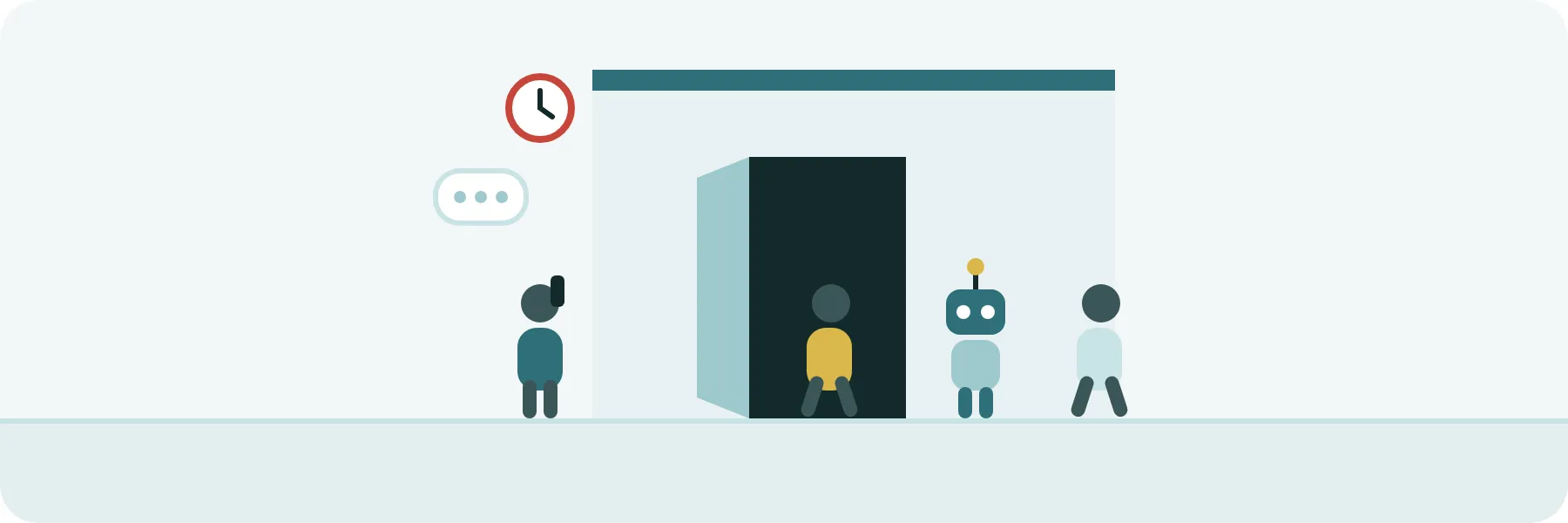
Picture a doorman who, before letting anyone in, phones someone to check the list. One day the line is slow. You’d expect nobody to get in until the doorman has an answer. What actually happens is that, after a while, the door opens by itself.
That’s what a hook does when it runs out of time. Every hook has a maximum time limit, and we assumed that, once it ran out, the command stayed blocked. It doesn’t. We measured it with a test hook that had a two-second limit, took six and said “no” at the end: the command ran anyway. The hook’s log had the start line and never the end one, because Claude Code cut it off before it could say anything.
We repeated it while writing this post, with Claude Code version 2.1.318, next to an identical control hook that was fast. The fast one blocked the command and the slow one let it through.
In our flow, CI runs the tests and deploys, but the one who presses the merge button is the agent, with a terminal command. In front of that command sits a guard: before letting a change into the main branch, the one that deploys to production, it asks GitHub whether the tests are green and whether the main branch has moved in the meantime. With a slow network, that query ate up the time limit and the door was left open. Nobody saw an error, because there wasn’t one.
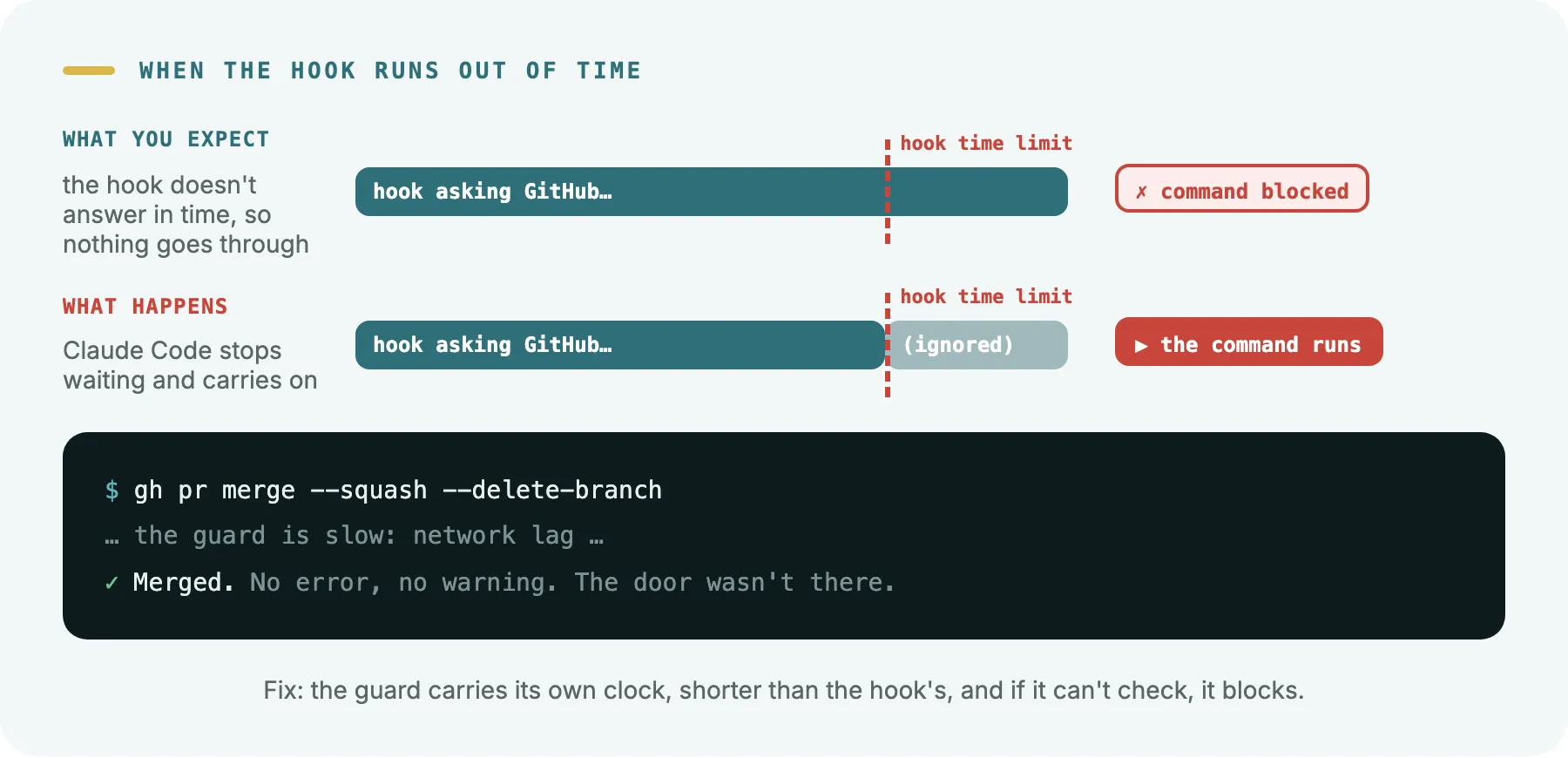
What we changed:
- The doorman has his own watch, set shorter than the door’s. Every guard gives itself a time limit for each query, and it does so before the hook’s own limit runs out.
- If it can’t check, it doesn’t let anything through. No network, a tool it needs is missing, or the machine is so loaded it can’t make it in time: it blocks and explains why.
- A test makes sure the two clocks match. If someone changes one and not the other, it goes red. It has already caught one: a copy of the guard had a 60-second limit and needed 120.
And a confession: the first version of that test checked nothing. A mistake in a path made it skip every file, and it always came out green. We found out when we broke a time limit on purpose and the test stayed green. A dead guard reads just as well as a live one.
2. The alarm that rings in the basement
One of our hooks checks every file after the agent edits it and warns about problems: “this plan is missing its status”, “this document has gone over its size”. We tested it by hand and the warning came out perfectly.
For weeks, the agent didn’t get a single one.
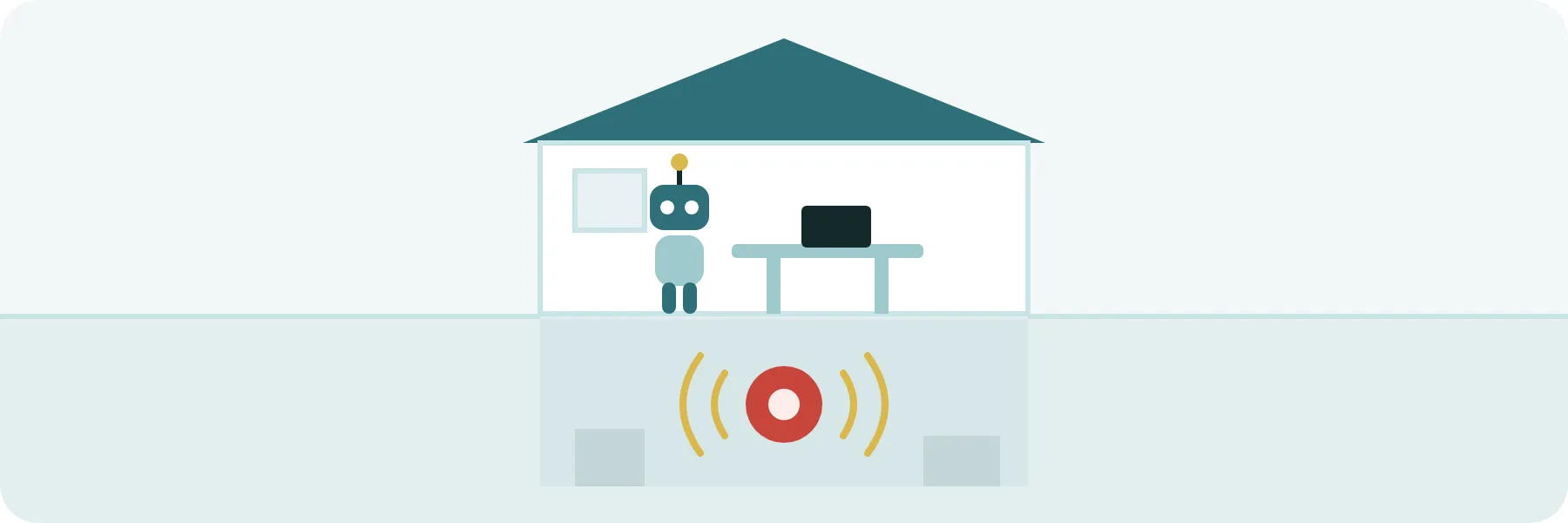
It was like an alarm ringing in the basement, where nobody is. What that kind of hook writes as plain text goes to the log the person can read, not to the agent. For the agent to get it, the warning has to come in a specific format (a small JSON with a field called additionalContext). In the session-start hook, on the other hand, plain text does get through, and that’s why one worked and the other only seemed to.
We repeated this one with version 2.1.318 too. A hook that runs after every edit handed the agent a keyword made up on the spot, and then we asked the agent what it was. When the hook wrote it as plain text, the agent answered “none”. When it wrote it in the JSON, it answered with the exact word.
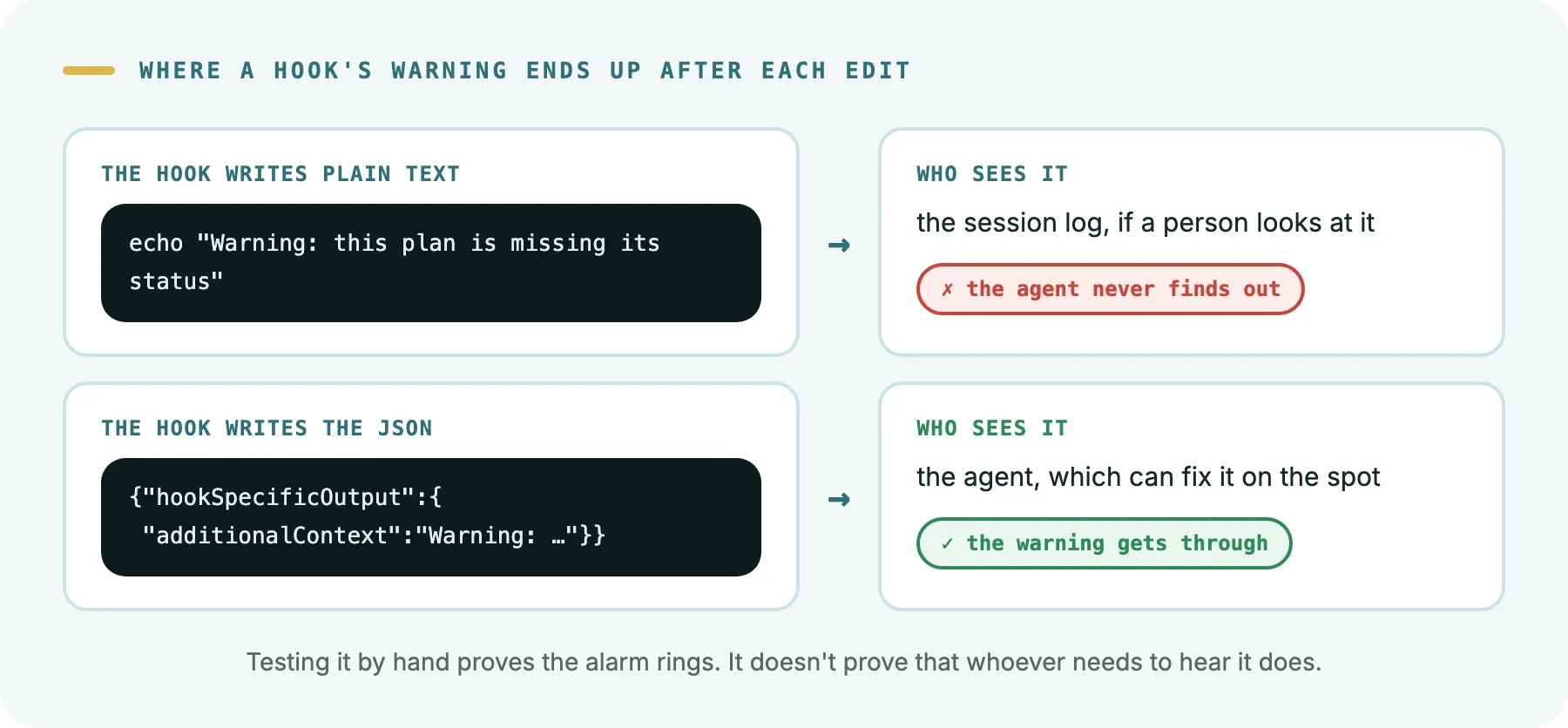
Now every warning goes out in that format, and a test goes red if anyone writes plain text again.
The general lesson: checking that an alarm rings isn’t enough. You have to check that whoever needs to hear it does. With a hook, that means triggering the situation inside a real session and seeing whether the agent reacts.
3. The alarm that was installed but not connected
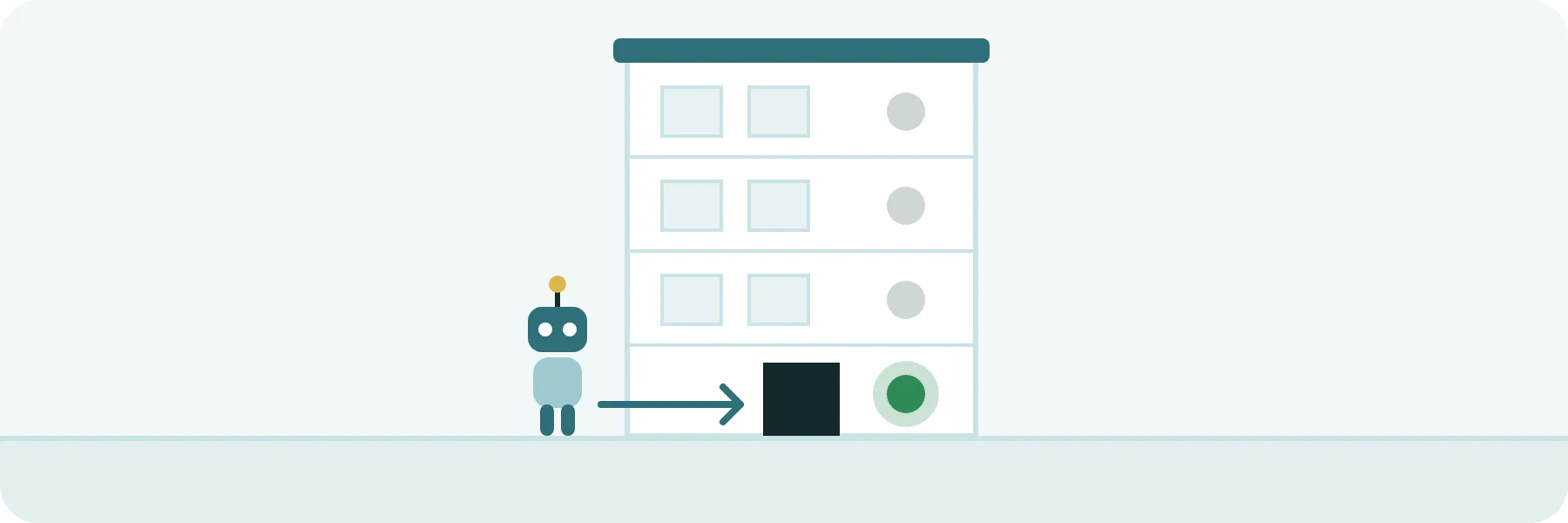
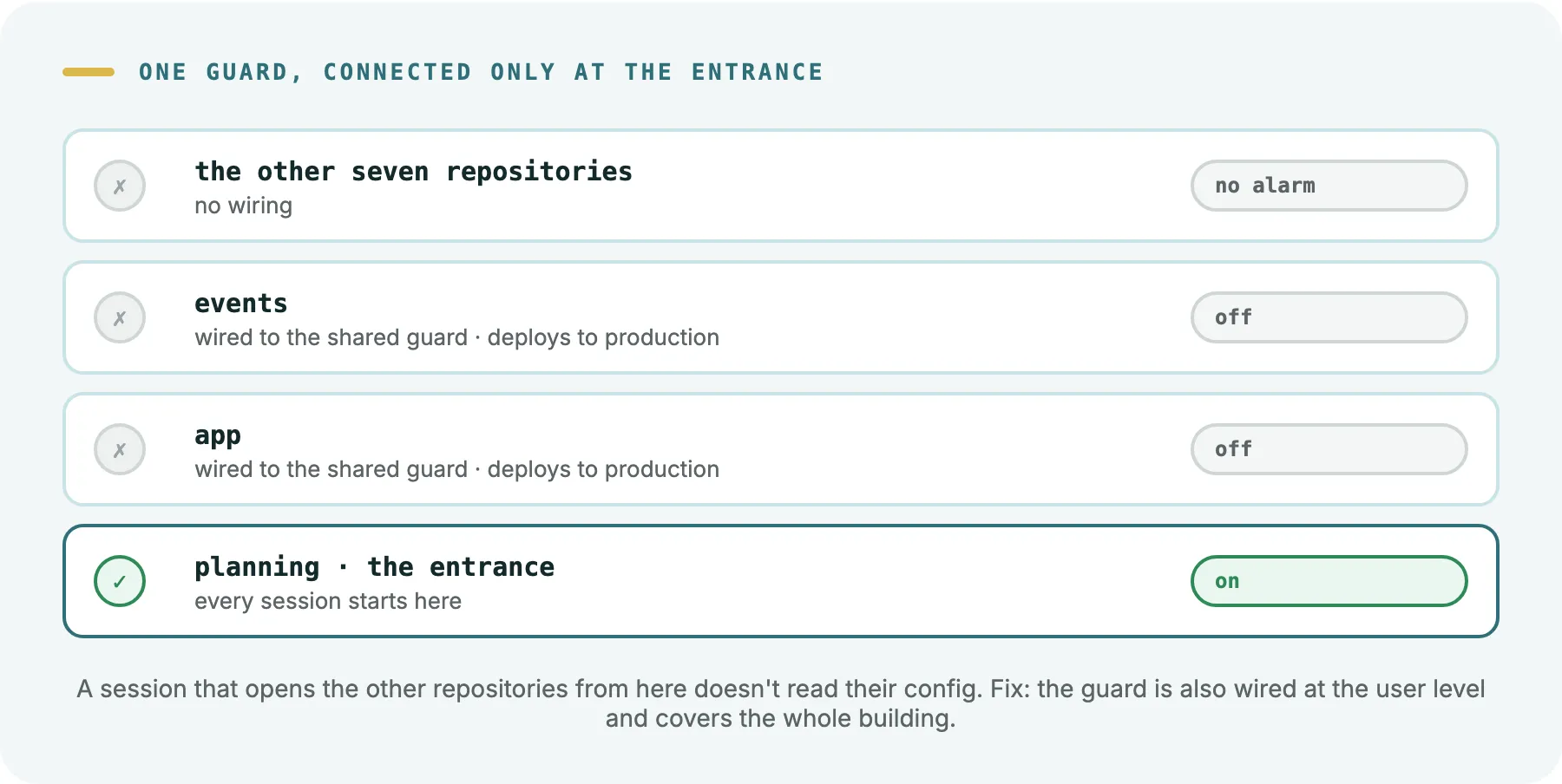
Our work is spread across ten repositories. The guards are the same for all of them: a single copy of each script, in the planning repository. What each repository has is the wiring, a line in its config that says “before every command, run this guard”. The two main ones, the app and the events platform, had it. But our sessions don’t start inside a product repository: they start in the planning one and open the others from there.
It turns out Claude Code reads its config from two places: your user config and that of the project where the session starts. Not that of the repositories it opens afterwards. We checked it again with version 2.1.318: the same hook that blocked a command when the session started in its repository didn’t run when that repository was opened from another one. It’s like a building where only the entrance alarm is connected. You went up to the floors where the valuable stuff is, and their alarm, installed and in place, was off. And seven other floors didn’t even have an alarm.
There were two more variants of the same problem:
- Hooks looking at the wrong floor. Some worked out which repository they were in from where the session had started, not from the file that had just been touched. The one that formats the code after every edit never ran in the normal way of working.
- A guard that only looked at where the command was launched from. If the command came from a temporary folder, the guard switched off, even if the command pointed straight at the repository it had to protect. It’s like a security guard who only checks people coming in through the front door and never looks at where they’re heading.
Now the main guard is installed at the user level, so it covers the whole building. The hooks work out the repository from the file touched, and the guards look at where each command points, not where it’s launched from. When they can’t tell, they block anything destructive.
4. The filter that won’t let you explain the filter
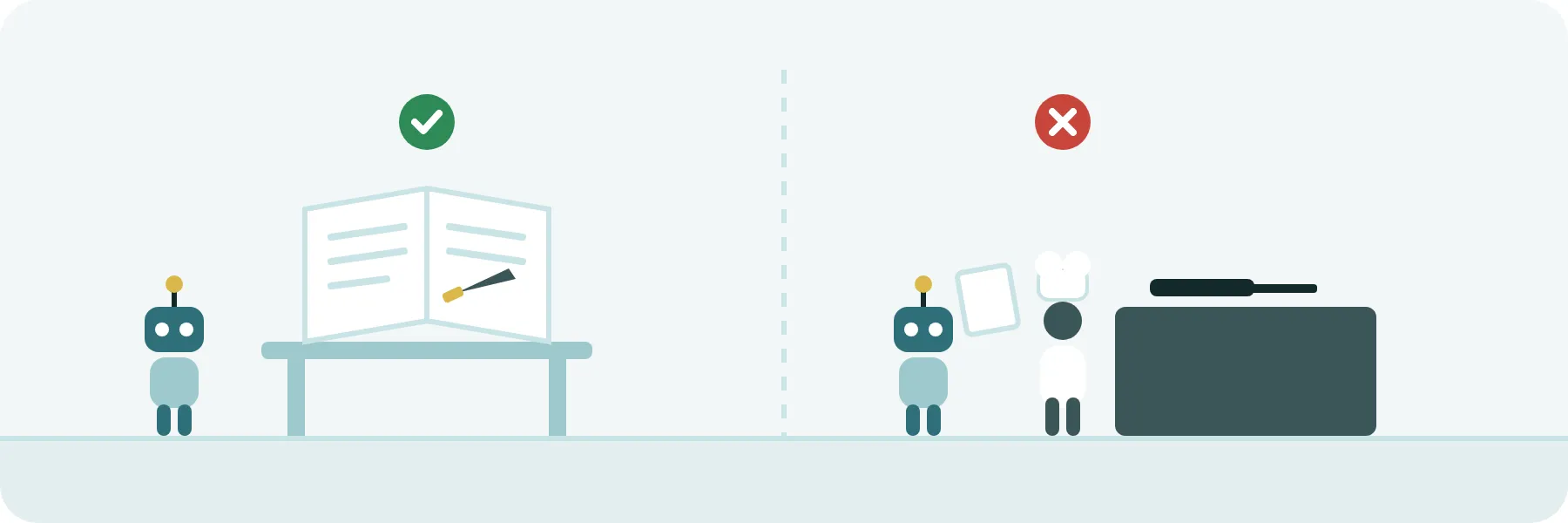
The first version of our guard looked for words: if the command contained the name of a dangerous command, it blocked it. The first thing it blocked was an edit to the document explaining why that command was forbidden.
It’s like a spam filter that sends to the trash the security email explaining how to spot spam. Or a scanner that won’t let you say “knife” to explain that knives aren’t allowed.
A guard like that is worse than none at all. It gets in the way when you document it, when you test it and when you talk about it, and by the third time someone goes looking for a way to switch it off.
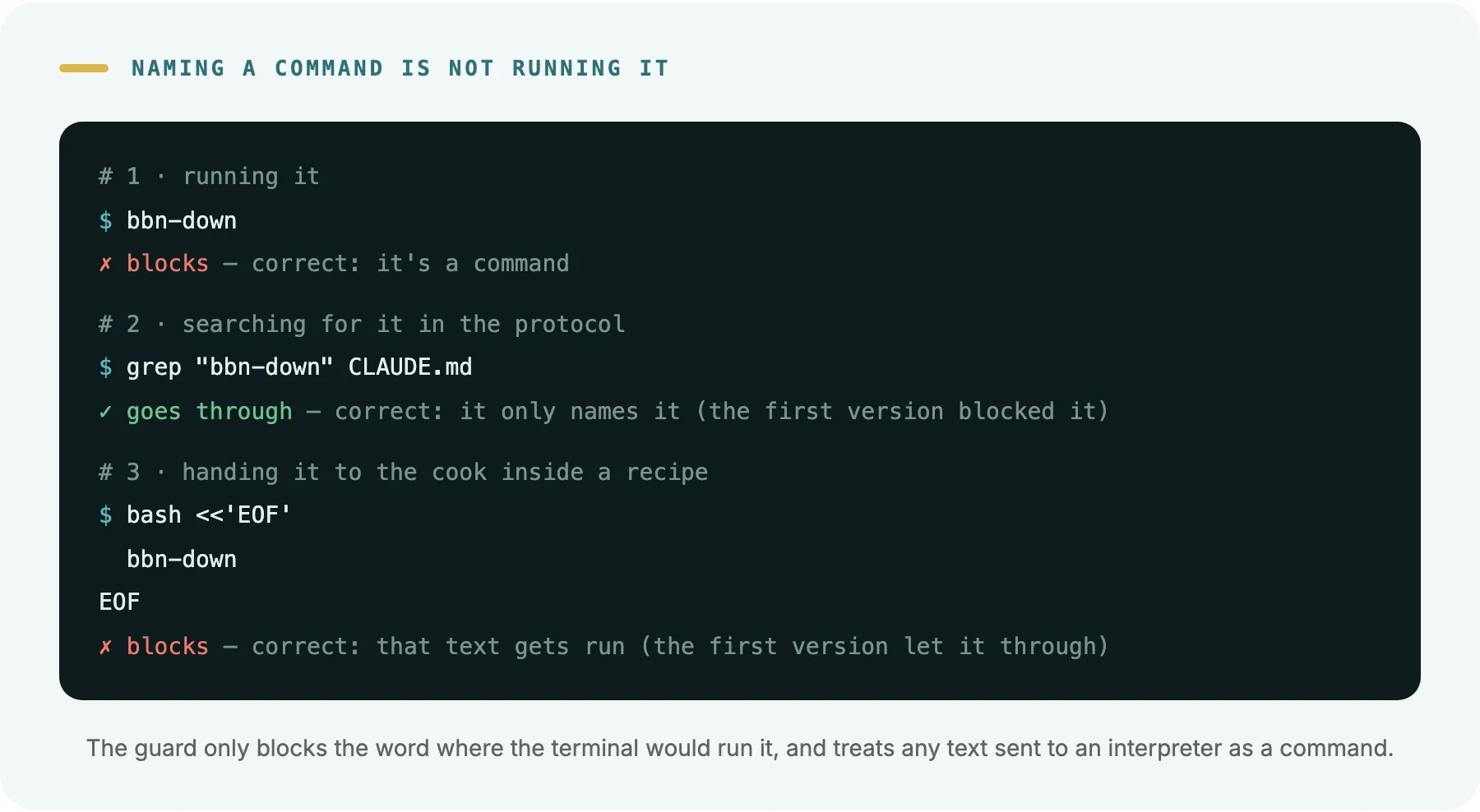
The fix is to tell apart naming a command from running it. The guard only blocks when the word sits where the terminal would run it: at the start of the command or right after the symbols that chain commands together. Searching for it in a file or writing it in a document goes through.
With one catch that gave us two scares: a block of text sent to an interpreter does get run. It’s the difference between writing down a recipe and handing it to the cook. Our first filter treated both the same and let through the dangerous commands hidden inside a recipe someone handed to the cook.
And one more surprise: other hooks can rewrite the command before yours sees it. We use rtk, a tool that trims command output so the agent spends fewer tokens. It works through its own hook, which rewrites every command by adding a prefix: gh pr merge becomes rtk gh pr merge. And Claude Code doesn’t guarantee the order hooks run in. When the other one went first, our guard didn’t recognise the command and let it through. The same command was blocked in one repository and went through in another.
The fix was to stop assuming what shape the command arrives in. The guard recognises the command both on its own and with that prefix in front, and each shape has its case in the test. If tomorrow another tool rewrites commands some other way, the test is where you add it.
5. The banned list versus the guest list
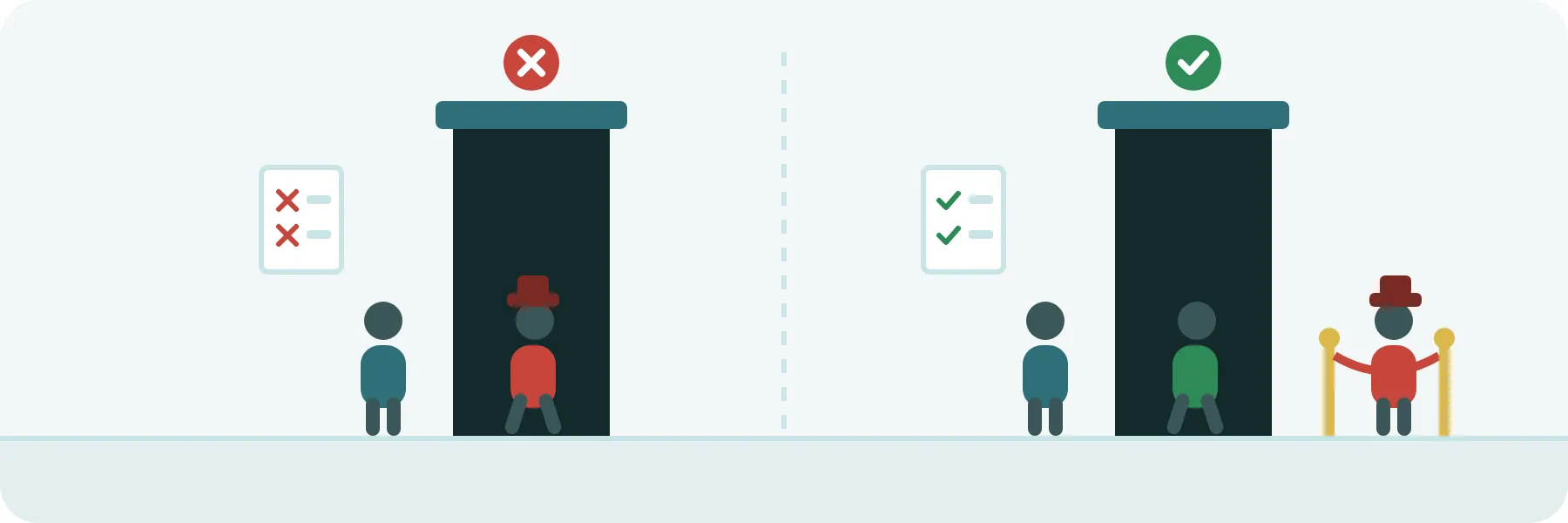
A nightclub can control who gets in two ways: with a list of banned people or with a guest list. With the first, everyone gets in except those who’ve already caused trouble. With the second, only those on the list get in.
Our production guard started with a banned list: these commands against the servers, no. When we put it properly to the test, we found a path that wasn’t on the list and let you run whatever you wanted in production. It was exactly what the guard was meant to prevent, through a door nobody had written down.
We turned it around. Now it’s a guest list: it lists the read-only queries that are allowed and blocks everything else. A new tool or a command we didn’t know about counts as dangerous until someone decides otherwise.
The same principle holds inside the code. Compare these two rules for a command that deletes data:
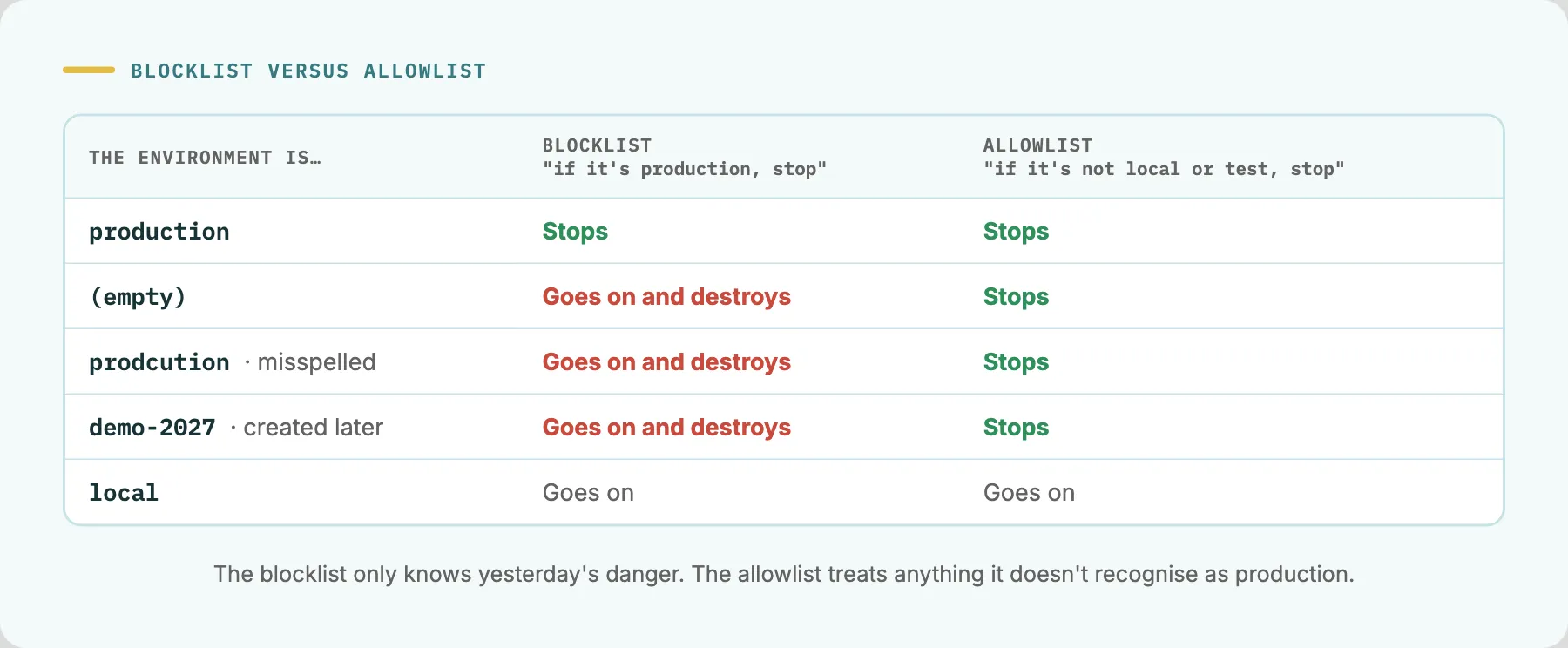
The banned list lets it through, and destroys, when the variable comes in empty, misspelled or with the name of a new environment. The guest list treats anything it doesn’t recognise as production.
6. A sign is not a turnstile
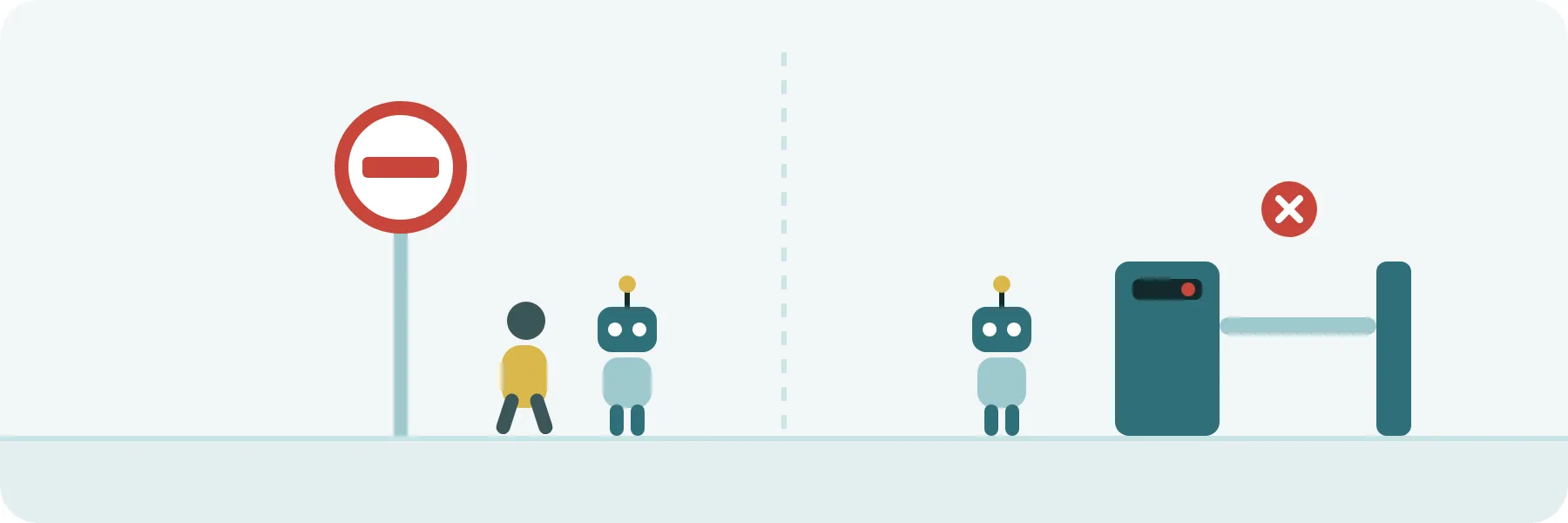
Written rules are signs: “no entry”, “keep off the grass”. A guard is a metro turnstile: no ticket, no way through, whether you’ve read the sign or not.
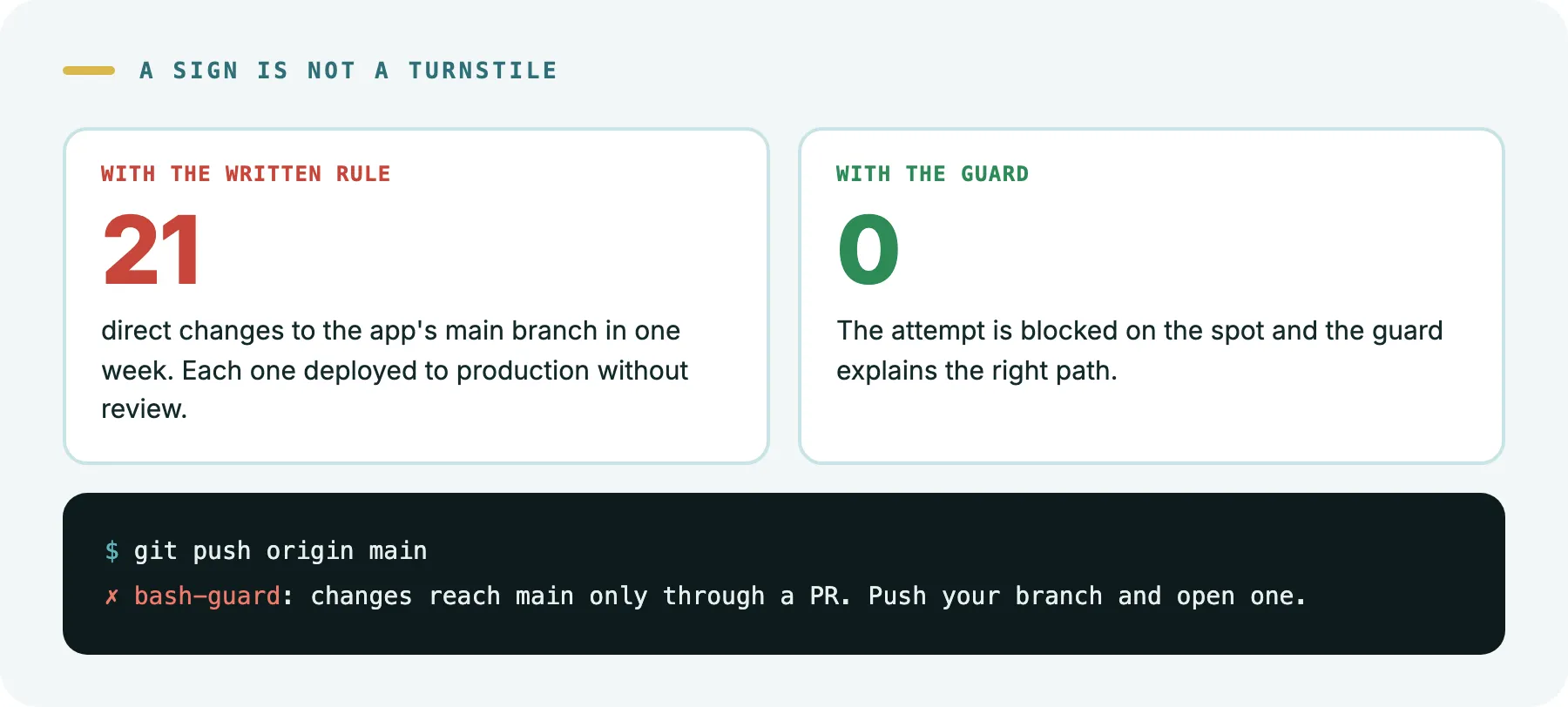
We had the rule written down: changes to the main branch always go in through a reviewed PR, never directly. And the agent knew it, because it’s in the protocol it reads at the start of every session. When we finally measured, we found 21 direct changes to the app’s main branch in one week. Each one was deployed to production without review. Nobody broke the rule on purpose. There simply was no turnstile to enforce it.
The other warning came from production. A session wrote 20 rows to the production database through a remote command, and nothing between the credential and the database asked a single question. Since then, production is read-only, and the key is out of the agent’s reach: a person holds it.
Why hooks and not the permission rules that come with Claude Code? Because we wanted the protection not to depend on how each session was configured. We work with long, fairly autonomous sessions, and a hook always runs.
7. Two people edit the same document and one saves an old copy over it
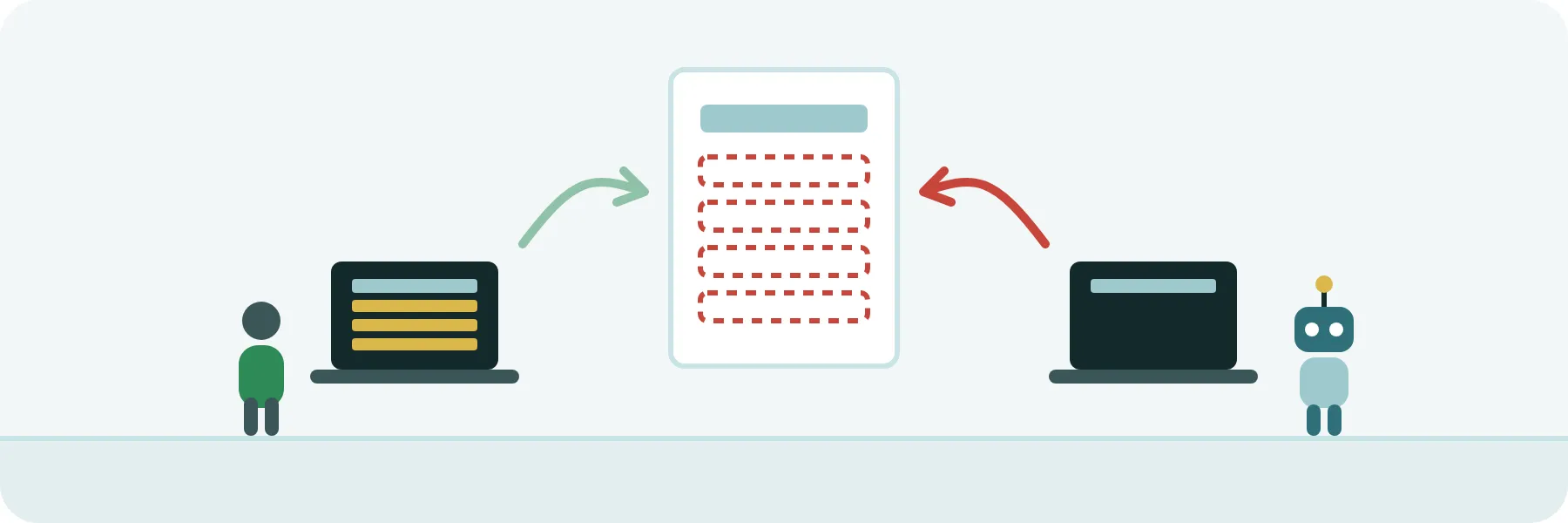
Anyone who has worked with shared documents knows this one. You open the document in the morning and work on your part. Meanwhile, a colleague adds her section and saves. In the afternoon you save, from your morning copy, and her section disappears. Nobody deleted anything on purpose.
It happened to us with code, and in production. Several sessions work at once on the same repository. One prepared its change from a snapshot of the main branch that another session had just moved. The result looked like a normal change, passed every test and the review, and when it went in it undid four earlier changes that were already in production.
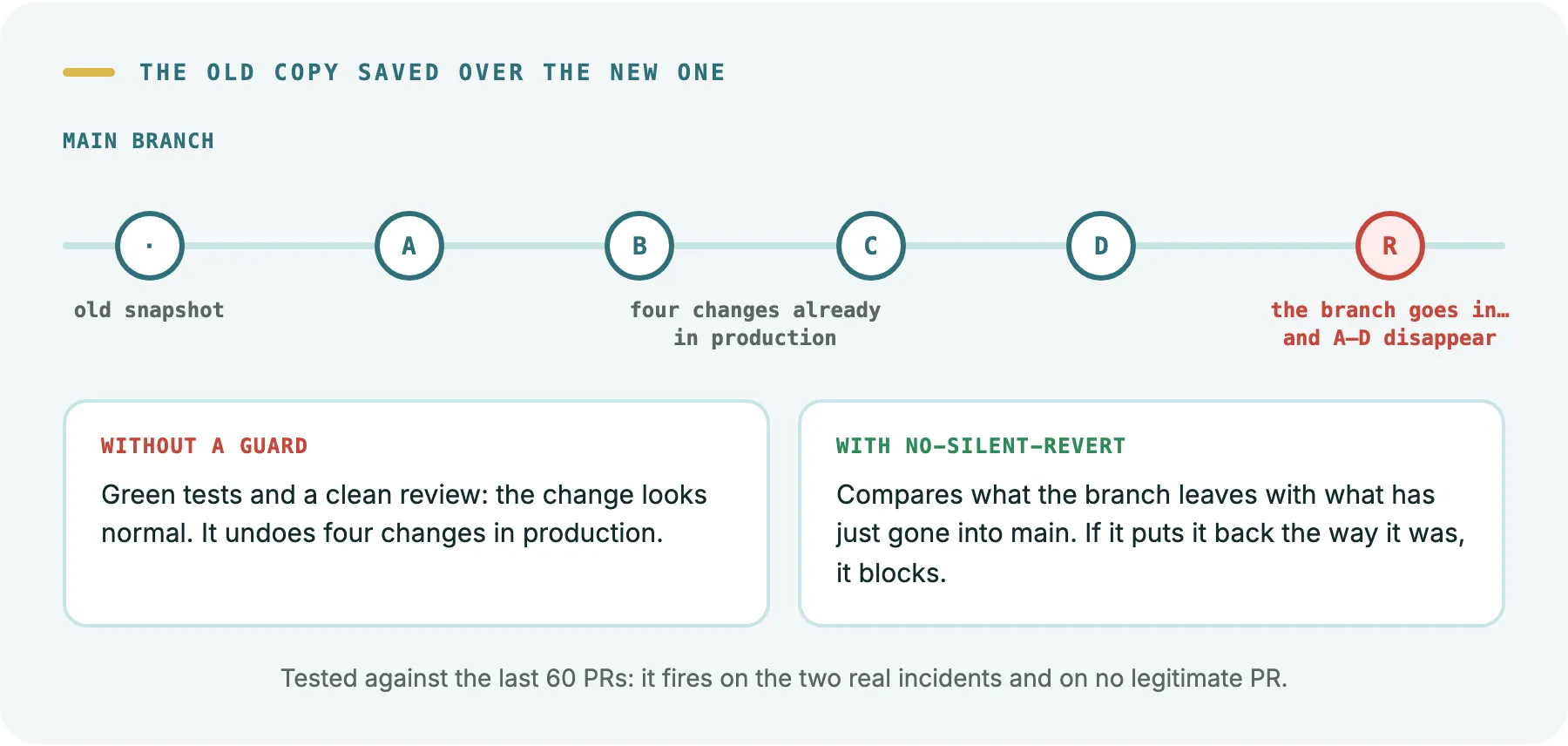
The guard that came out of it checks, before every push and every merge, whether the change puts back the way they were files that have just changed on the main branch. Before switching it on we ran it against the last 60 PRs in our two main repositories: it fires on the two real incidents and on no legitimate PR. If you really do want to undo something, you say so in the change’s message and it goes through.
Nobody would have written that guard in advance. It comes from treating every incident as a question: could a machine have caught this? If the answer is yes, it becomes a guard, with its tests.
What we took out
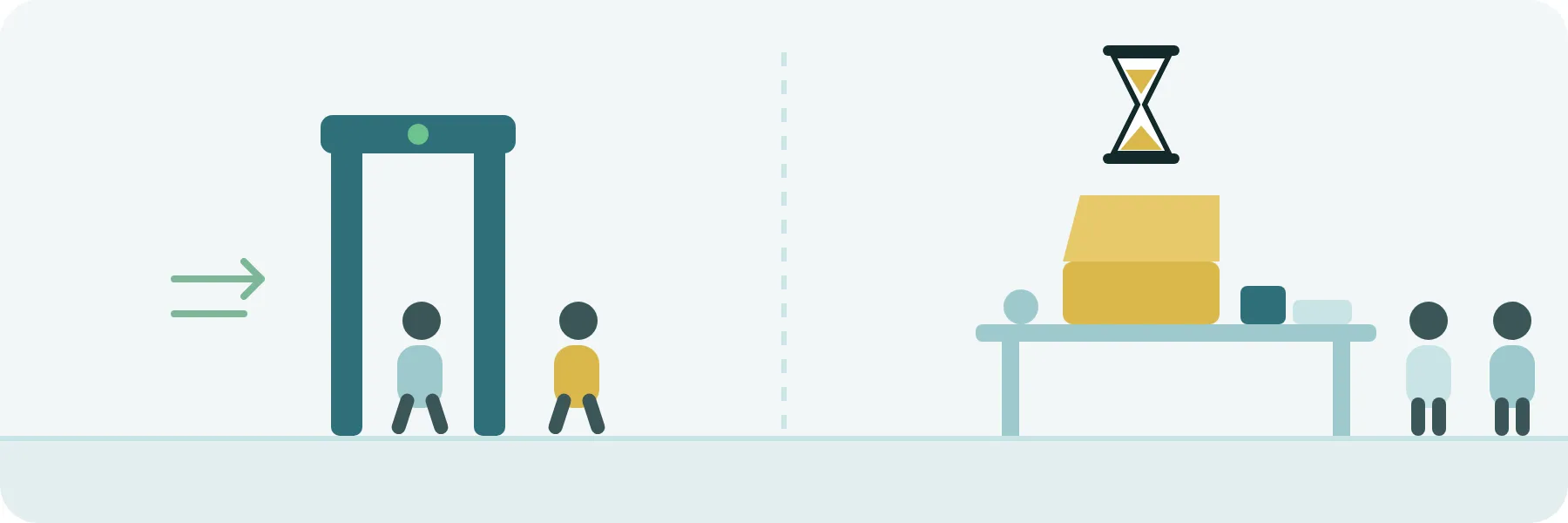
All of this adds up, and there came a point where it added up to too much. “Everything we do is really slow”: waits of over an hour for some checks, and test deploys that the next change made stale.
When we measured, we saw that under the word “guards” there were two very different things. Back to the airport:
- The security arch is the guards that block dangerous commands. They cost milliseconds per command and they prevent disasters.
- The full search of every suitcase is the slow checks: certain exhaustive tests, or deploying a test environment with every change. That’s where the hours went, and nobody had looked again at whether each one was still worth it.
Two no longer were, and we took them out of the path of every change:
-
Local mutation testing. A mutation test plants small bugs in the code on purpose (it swaps a
>for a>=, deletes a line) and checks whether the tests notice. If they don’t, those tests don’t protect as much as they seem to. It’s very useful, but in the app we were mutating every whole file each change touched, and that took between six and ten minutes, and sometimes hours. Now each task mutates only what its change adds: it removes each new condition, one at a time, and checks whether any test notices. It takes seconds and aims right at what matters, because with thousands of tests the useful question isn’t whether there are tests, but whether this change brings one that watches over it.We also switched off the weekly measurement of the whole codebase. It cost thousands of CI minutes a month and almost never reached the end: of the last eight, one finished. It produced an overall score nobody acted on.
-
The staging deploy on every push to a half-finished PR. Staging is a copy of the app where you look at the change before production. Before, every time the agent pushed a change to its PR, the whole of staging got deployed: about 8 minutes. A PR got almost three pushes on average, and each deploy made the previous one stale before anyone looked at it. In the app that came to about 16 minutes per PR building something nobody looked at. Now the PR starts as a draft and only deploys when it’s ready.
The arch stayed. A guard that costs milliseconds and stops one disaster a month is the cheapest thing in the whole system.
A hook is production code
If we had to boil it down to one idea: a hook that acts as a guard is production code and deserves the same treatment.
- It has tests. Ours are 336 cases, each with a real command and what the guard should do with it. They start with the harmless commands that shouldn’t be blocked.
- It tests itself. For every guard we have a version broken on purpose, and the tests have to catch it. It’s like running a drill with a trick suitcase: if the arch doesn’t beep, the arch doesn’t work.
- When in doubt, it closes. If it can’t check, it blocks.
- It’s tested where it’s used. The script working isn’t enough. The agent has to get the warning.
- It earns its place. We only automate what fails without warning and a machine can detect. Everything else gets written down, with its reason.
Agents don’t get tired, but they don’t get suspicious either. We bring the suspicion, in the form of guards that enforce themselves. We’re very suspicious, though only of the agents: that’s why every rule that matters is a turnstile, not a sign.
And we’ll stay very suspicious.
