The WhatsApp and Telegram Bots Now Talk Back

You walk out of a meeting with three things worth keeping and twelve minutes until the next one. Your thumb is already in WhatsApp. So you hold the mic, say them, and send them to BlaBlaNote. That was the whole idea behind capturing from Telegram and WhatsApp: the note is one message away, in the app you already have open.
Sending was the easy part. What came after was less reliable. A recording sent as a file got “we can’t read this”. A note that failed to process never came back. On Telegram the reply arrived as seven separate messages. And sometimes the bot simply went quiet, which is the worst answer a tool can give you, because you stop trusting it with the next conversation.
We spent the last two weeks on the two bots. This is what changed.
Send the recording you already have
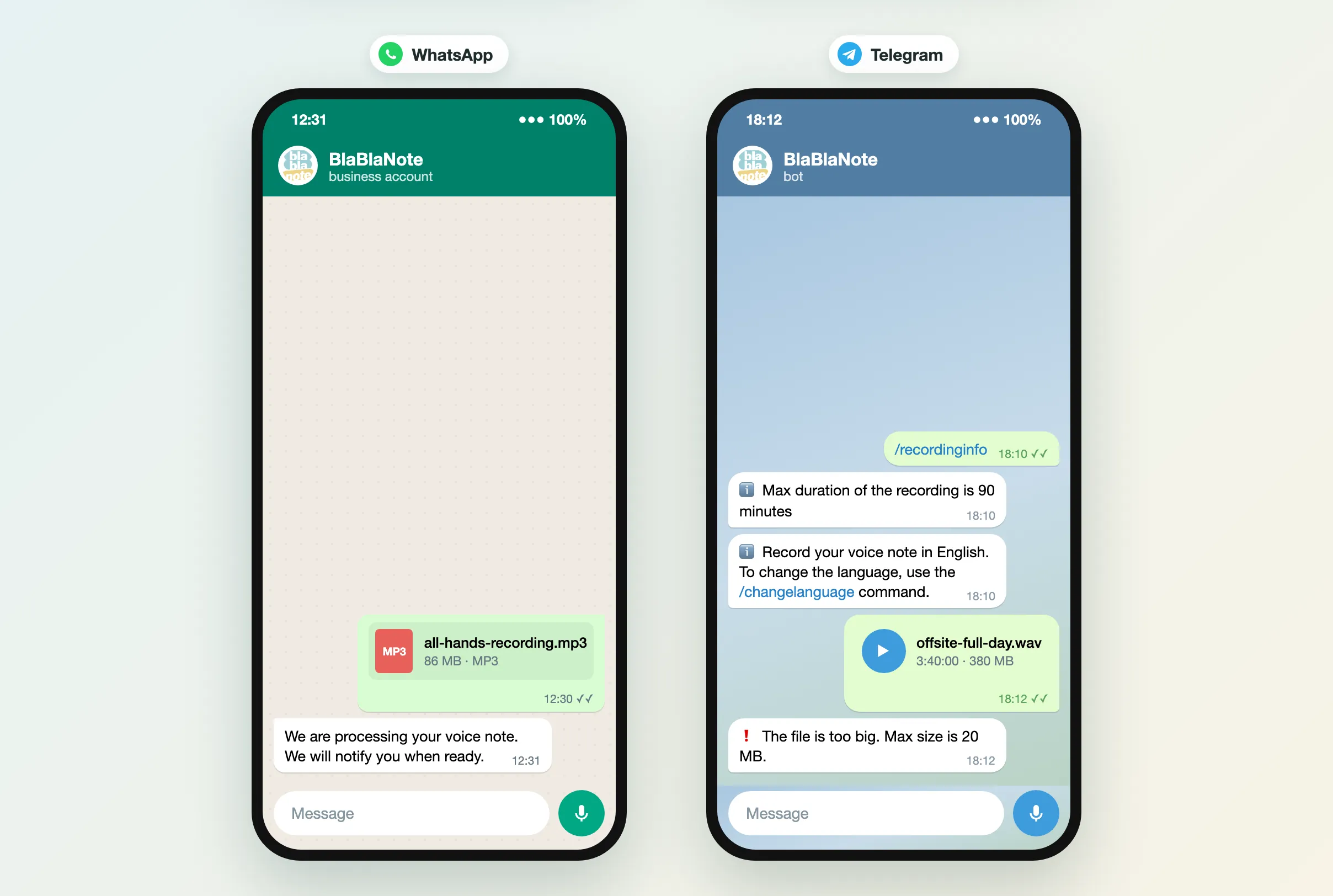
Until now the bots only understood the voice notes you record inside WhatsApp or Telegram. If you had recorded a client call with another app, or you dragged an MP3 into WhatsApp Web, it arrived as a document and the bot refused it.
Now an audio file becomes a note, whether you send it as audio or as a document. MP3, WAV and Opus files go the same way as a voice note: transcribed, summarized, and saved to your account.
- WhatsApp takes files up to 100 MB, the limit WhatsApp itself sets. That is a long meeting in MP3.
- Telegram takes files up to 20 MB, the most a Telegram bot is allowed to download.
If a file is past the limit, the bot says so and tells you the limit, instead of failing somewhere you cannot see.
Your note comes back in one message
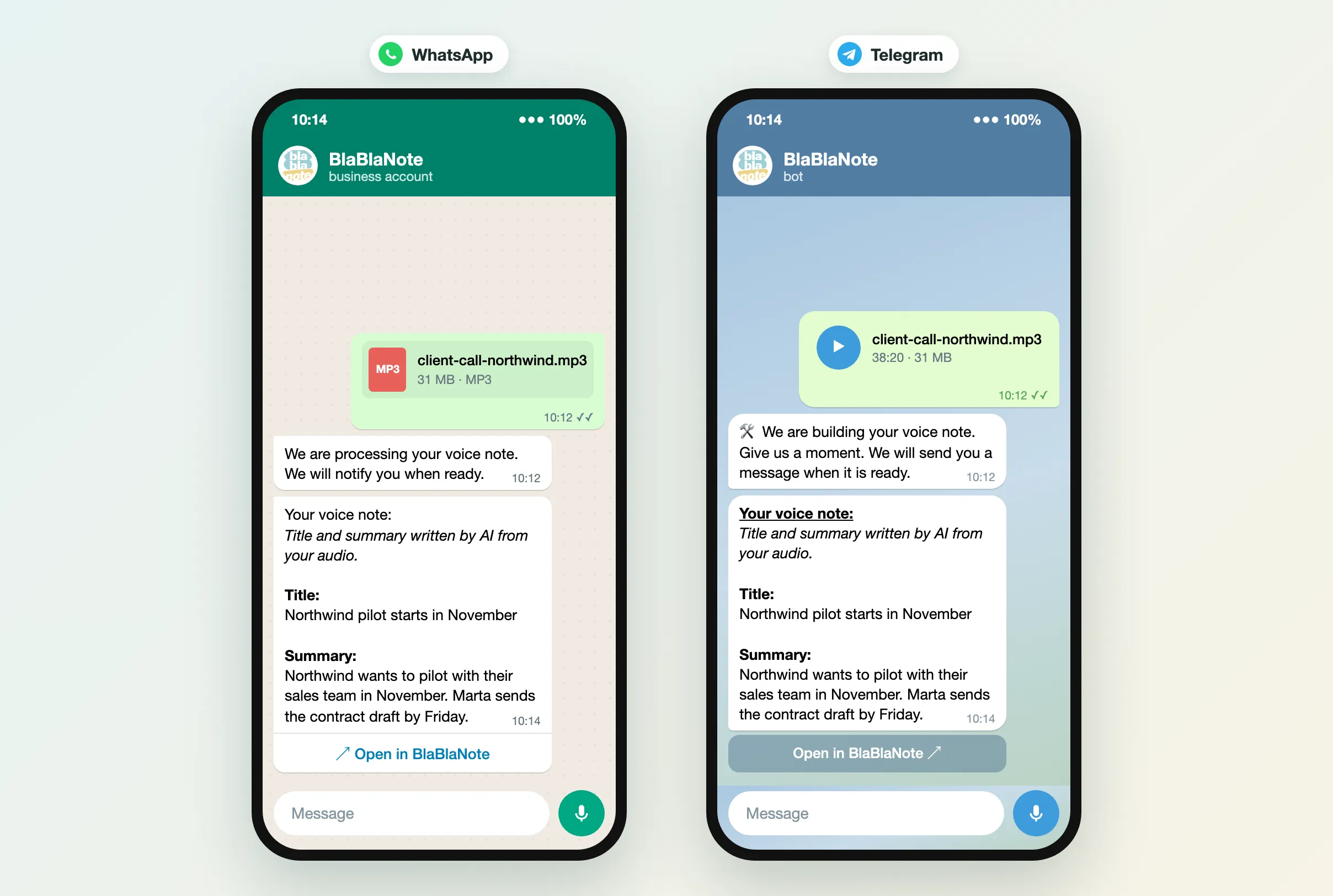
When the note is ready, the bot sends it back: title, summary, and a button that opens the note in BlaBlaNote. One message, instead of the raw link pasted at the end.
On Telegram that used to be seven messages in a row. Now it is one, and a title with an & or a < in it no longer makes Telegram drop the message silently.
The reply also says, in a line of its own, that the title and summary were written by AI from your audio. Before, the title and summary sat under “Your voice note:” with nothing to say who wrote them, so they read as if you had. Now the reply says it.
On Telegram, without an active plan there is no AI summary, and the reply tells you that once a day with a link to the plans, instead of showing an empty “Summary:”. The title is no longer “Note from 26 September” either: it takes the first words of what you said.
The bot answers every message
The bots promised “we will let you know when it is ready”. When something failed, they never wrote again. That is the change we care most about.
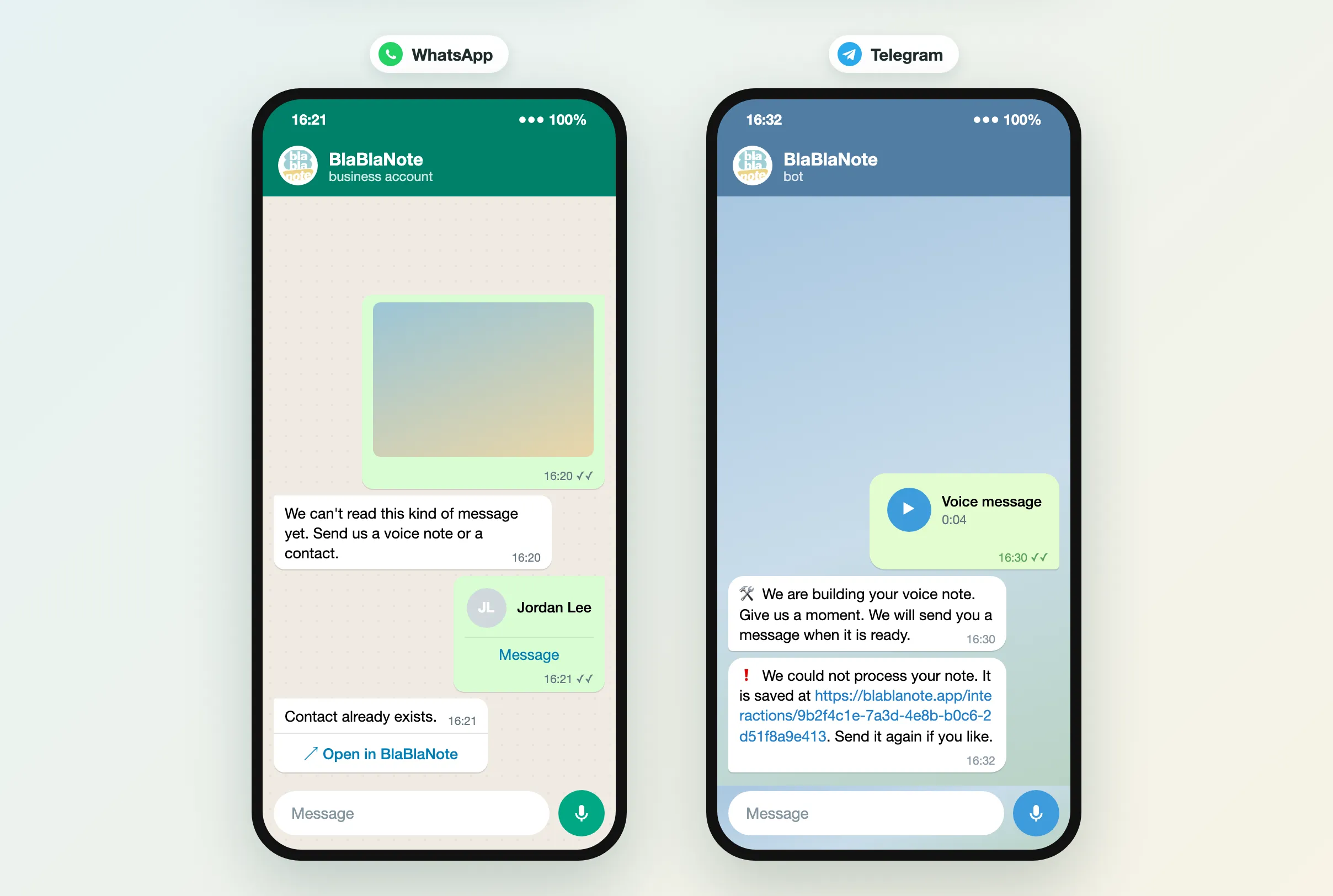
- A note that could not be processed gets a message on the same channel, with the link to where it is saved, so you can send it again.
- A photo, a video, a sticker or a location gets a line saying what the bot can read, instead of a prompt to record (Telegram) or a read receipt and nothing else (WhatsApp).
- A contact you already have comes back with a link to that contact, instead of just “Contact already exists”.
- An unknown command on Telegram gets a reply from the bot once your account is linked.
A menu on WhatsApp, and your language in it
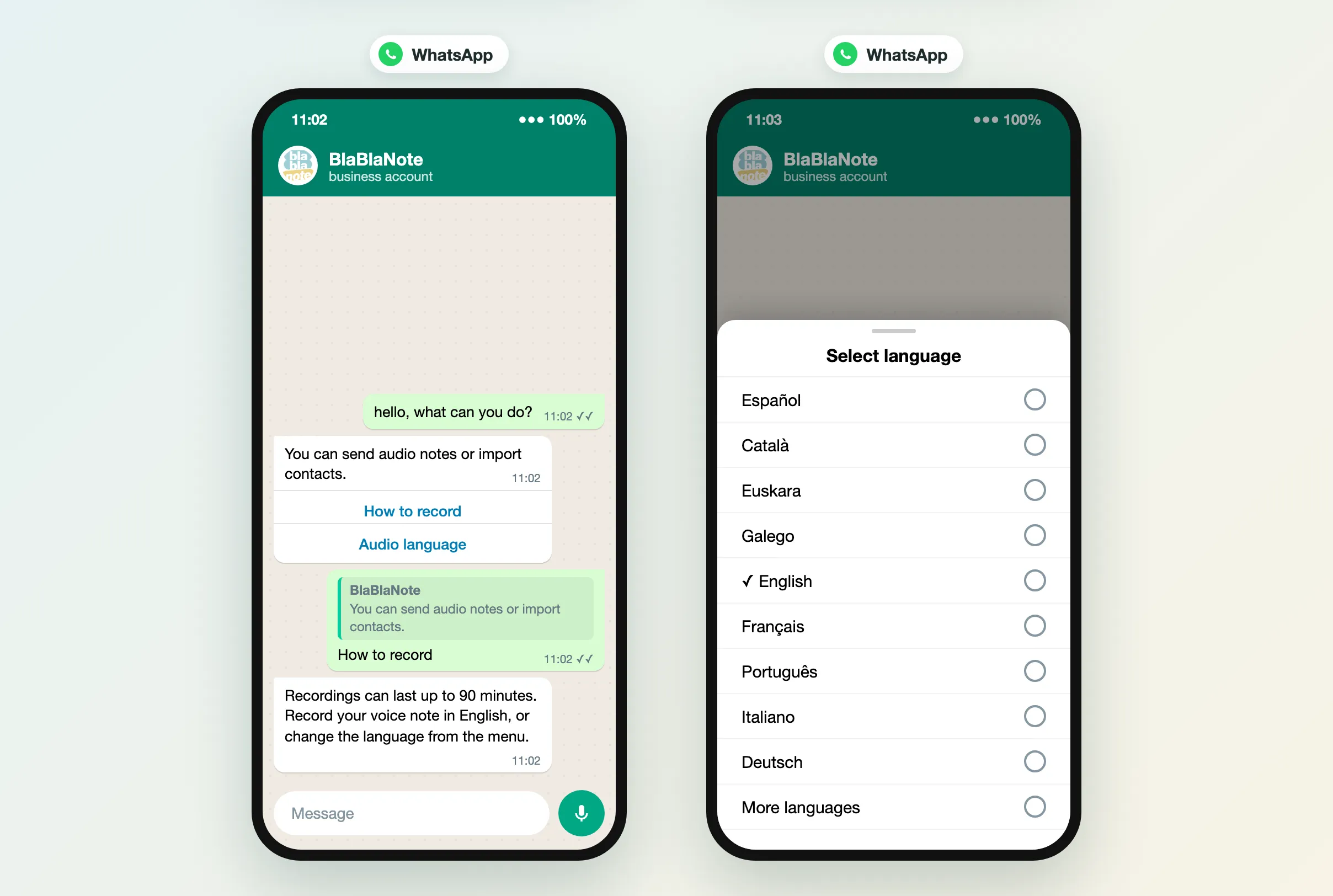
Write anything to the WhatsApp bot and you get a menu with two buttons: How to record and Audio language.
The language picker lists the twelve languages BlaBlaNote transcribes, each one written in its own language, with yours marked. Pick one and every recording after that is transcribed in it. On both bots, the recording info now tells you which language is set, so a note in Catalan does not get transcribed as Spanish because you forgot what you picked last month.
Linking your account says why and where
Connecting the bot to your account is where people could get stuck without knowing why. Now:
- The bot tells you which address the verification email went to (partly masked), so you know which inbox to open.
- If you have no BlaBlaNote account yet, it sends you to sign up. If your phone number is not on your profile, it sends you to your profile.
- On Telegram, if you share a contact that is not yours, the bot says so and gives you the share button back.
- An expired verification link opens a page that says it expired and how to get a new one, instead of an error.
- After verifying, the page takes you back to the chat (on WhatsApp, when you have a plan).
- On WhatsApp, the bot tells you up front that anything you send before verifying is not saved.
One chat per account
One change you will not see, and the reason we made it: if you verify from a new WhatsApp number or a new Telegram account, the old one is unlinked. A phone number you left behind could otherwise keep receiving the title and summary of your notes. If you write again from the old one, it asks you to verify.
WhatsApp needs a plan, Telegram does not
One thing that has not changed: notes on WhatsApp need an active plan. Without one, the WhatsApp bot tells you so once a day and points you to the plans, and it does not process what you send. The Telegram bot works on every account.
Where to find it
It is all live. Open the BlaBlaNote chat on Telegram, or on WhatsApp if you have a plan, and send it the last recording on your phone: the call you meant to write up, the debrief you recorded in the car. If you have not connected a bot yet, the setup guide takes two minutes, and if you are new to BlaBlaNote you can get the app here.
A note only helps a relationship if it gets saved while you still remember the conversation. The less you have to think about the channel, the more of those conversations you keep.
